MoneyTransfers aims to help users find the best money transfer provider for their needs. To support our free service, we may earn a commission from some of the providers listed in our search results. The commission may also impact the ordering of the providers shown. Our reviews are independent from this and are based on our research and testing of dozens of remittance providers on the market.
Table of Contents
You can send Canadian dollars into an overseas mobile money wallet, while Interac e-Transfer handles payments between participating Canadian accounts.
If you already hold a local spending balance in KOHO, its international sending feature offers another route alongside specialist transfer apps.
My suggestion is to check the receiving method before paying, because a foreign wallet balance and a Canadian account payment have different details and limits.
Money Transfer Comparison
Fill in the form and we’ll find you the best rates.
At a glance
You can send from Canada into GCash, M-PESA, MTN MoMo and bKash.
You fund the international sending service, while your recipient holds the wallet abroad.
KOHO combines a local prepaid spending account with domestic payments and an international transfer feature.
Interac e-Transfer sends between participating Canadian accounts using an email address or mobile number.
Check the recipient’s account verification, usable balance and withdrawal cost alongside the CAD quote.
What does mobile wallet mean?
Mobile wallets
A mobile wallet may hold money for payments, or store payment-card details that you use to pay through your phone.
For an overseas remittance, a stored-balance wallet such as GCash gives the recipient local money they can use after the transfer arrives.
Mobile money
Mobile money links a spendable balance to a registered mobile account, with payments and cash access determined by the operator’s network.
M-PESA and MTN MoMo are examples, and their account rules change between the countries where those services operate.
Money transfer apps
A money transfer app handles the sending transaction, which can arrive in a wallet even when you fund it from your bank.
Our money transfer apps in Canada guide covers the wider choice of apps for bank, cash and other receiving methods.
Mobile banking apps
Your bank’s mobile app accesses money in your account, including domestic payments sent using Interac e-Transfer.
The recipient’s phone number or email helps address that payment, while the money moves through participating financial institutions.
Apple Pay and Google Pay
Apple Pay and Google Pay let you use supported linked cards, so their presence on your phone does not create a foreign receiving account.
A transfer service may accept one for payment, but you still need to select where your recipient receives the money.
Who moves the money abroad?
The transfer company takes your CAD payment, sets the exchange rate and arranges delivery through its supported bank, cash or wallet partners.
Your recipient’s wallet then controls the local balance, spending options and charges for taking money out or moving it elsewhere.
Keep the sending reference because the transfer company handles questions about the international payment, including delays before the wallet is credited.
A local spending account such as KOHO serves a different role from your recipient’s bKash account, even though both can hold a usable balance.
Choose an account for the actual payment
These options cover both money held locally and supported wallet delivery abroad, without assuming every service operates in both directions.
Peso payments from an existing Philippine wallet
?
GCash
Fees
Exchange Rate Markup
Transfer Speed
Local operator payments and cash access in Kenya or Tanzania
?
M-PESA
Fees
Exchange Rate Markup
Transfer Speed
Personal-wallet remittances to Ghana or Uganda
?
MTN MoMo
Fees
Exchange Rate Markup
Transfer Speed
Taka payments and remittance receipt in Bangladesh
?
bKash
Fees
Exchange Rate Markup
Transfer Speed
Canadian spending and supported in-app overseas sending
7.6
Koho
Fees
Varies
Exchange Rate Markup
0%
Transfer Speed
"Koho uses the live exchange rate and charges clear, transparent fees for their clients sending money from Canada to dozens of worldwide destinations."
For family support, I prefer the account your recipient can already access over making them register for another wallet to collect one payment.
GCash in the Philippines
GCash makes the remittance available for peso payments
GCash is useful when your recipient wants pesos for everyday payments, without collecting cash or passing the remittance through another bank account.
They need an eligible verified wallet and enough remaining allowance, with their registered name and number entered correctly by the sender.
Sending to GCash from Canada
Wise, Remitly, WorldRemit and TapTap Send support GCash receiving routes, and Maya is another Philippine wallet these services can deliver to.
For sending money from Canada to the Philippines, these options compare a CAD$500 payment into GCash.
Last updated at 2026-10-26
CAD PHP
Mid Market Rate$1 = ₱45.6022
Transfer Amount$500
1
Remitly
2
Wise
3
TapTap Send
They get (after fees)
Transfer fees
FX Rate
Markup
Delivery time
₱23,100.00
$0.00
46.2000
-1.30%
Within a week
₱22,572.99
$5.09
45.6103
-0.02%
Same day
₱22,300.00
$0.00
44.6000
2.22%
Minutes
I suggest comparing the pesos arriving after the sending cost, then asking whether your recipient needs a paid withdrawal before they can use the money.
How your recipient receives and uses the money
The pesos arrive in the registered GCash wallet, where your recipient can make supported payments or move the balance through its available channels.
GCash’s standard Philippine bank-transfer fee is PHP10 per transaction, while offline cash-out through many partners costs 2% of the amount.
For a first remittance through TapTap Send, the recipient must open GCash and accept the international-remittance terms before using that payment.
M-PESA in Kenya and Tanzania
M-PESA needs the local operator confirmed
M-PESA fits a recipient who already uses their local operator’s account, giving them a balance for payments as well as supported cash withdrawal.
Kenyan Safaricom M-PESA and Tanzanian Vodacom M-PESA are separate services, so the country and currency must match the account you are paying.
Sending to M-PESA from Canada
WorldRemit supports both routes, with an active, fully registered recipient account and the details required for the selected network.
Your CAD$500 becomes Kenyan shillings in M-PESA, so compare the amount credited alongside the Canadian funding charge shown for each service.
Last updated at 2026-10-26
CAD KES
Mid Market Rate$1 = KES 92.6376
Transfer Amount$500
1
Remitly
2
TapTap Send
3
Wise
They get (after fees)
Transfer fees
FX Rate
Markup
Delivery time
KES 47,630.00
$0.00
95.2600
-2.79%
Within a week
KES 45,575.00
$0.00
91.1500
1.62%
Minutes
KES 45,441.00
$9.46
92.6342
0.00%
Same day
A Tanzanian M-PESA payment uses TZS, with this WorldRemit table showing the result of sending CAD$500 to the Vodacom account.
CAD
Currency pair
They get (after fees)
Transfer fees
FX Rate
Markup
Delivery time
No results, please ensure you have currencies selected
How your recipient receives and uses the money
Your recipient checks the local wallet balance and uses that operator’s payment or withdrawal services, with cash-out charges separate from the international sending cost.
I'd say confirm their preferred agent or payment method before sending a large balance they cannot conveniently use that day.
MTN MoMo in Ghana and Uganda
MTN MoMo suits supported personal-wallet payments
MTN MoMo is useful for supported personal remittances, but the Ghanaian and Ugandan accounts have different receiving currencies and local rules.
WorldRemit accepts transfers from Canada into active, fully registered MTN wallets in both countries, with the country chosen during setup.
Sending to MTN MoMo from Canada
For Ghana, send to a personal wallet because WorldRemit’s international remittances cannot be credited to MTN business mobile money accounts.
Remitly, WorldRemit and TapTap Send support these CAD$500 MTN payments, with cedis arriving in Ghana and shillings in Uganda.
Last updated at 2026-10-26
CAD GHS
Mid Market Rate$1 = GH₵8.2539
Transfer Amount$500
1
TapTap Send
2
WorldRemit
3
Remitly
They get (after fees)
Transfer fees
FX Rate
Markup
Delivery time
GH₵4,154.80
$0.00
8.3096
-0.67%
Minutes
GH₵4,135.63
$0.00
8.2713
-0.21%
Next Day
GH₵4,108.15
$0.00
8.2163
0.46%
Within minutes
CAD UGX
Mid Market Rate$1 = UGX 3,136.7452
Transfer Amount$500
1
Remitly
2
TapTap Send
3
WorldRemit
They get (after fees)
Transfer fees
FX Rate
Markup
Delivery time
UGX 1,629,030.00
$0.00
3258.0600
-3.79%
Within a week
UGX 1,510,000.00
$0.00
3020.0000
3.79%
Minutes
UGX 1,501,386.28
$0.99
3008.7299
4.17%
Next Day
How your recipient receives and uses the money
Once credited, your recipient can use the local MoMo service, including supported payments and withdrawal through available agents or service centres.
In Ghana, withdrawing GHS500 costs GHS5 under MTN’s 1% cash-out band, so the amount withdrawn can affect the recipient’s total cost.
That Ghana tariff should not be applied to a Ugandan wallet, where the recipient needs the local withdrawal charges instead.
bKash in Bangladesh
bKash gives the recipient a usable taka balance
bKash works for a recipient who wants the remittance in their existing taka wallet, particularly when they can use some of the balance for payments.
You send through a supported company, while the recipient holds the fully registered, active bKash account in Bangladesh.
Sending to bKash from Canada
WorldRemit supports Canadian-origin delivery to bKash, with the wallet selected separately from its bank-deposit or cash-pickup options.
For CAD$500, the options below deliver into the same bKash account, letting you compare prices without asking your recipient to switch wallets.
Last updated at 2026-10-26
CAD BDT
Mid Market Rate$1 = ৳88.0419
Transfer Amount$500
1
Remitly
2
TapTap Send
3
Wise
4
WorldRemit
They get (after fees)
Transfer fees
FX Rate
Markup
Delivery time
৳44,120.00
$0.00
88.2400
-0.22%
Within minutes
৳43,750.00
$0.00
87.5000
0.62%
Minutes
৳43,380.32
$8.11
88.1911
-0.17%
Next day
৳42,656.64
$0.00
85.3133
3.15%
Next Day
How your recipient receives and uses the money
bKash credits the remittance balance, and specified BRAC Bank, City Bank and Q-Cash ATMs offer cash-out at BDT7 per BDT1,000.
Your recipient needs an eligible remittance balance and participating withdrawal channel, because another agent’s tariff can differ.
KOHO for a local spending balance
KOHO fits if you already want a local spending account
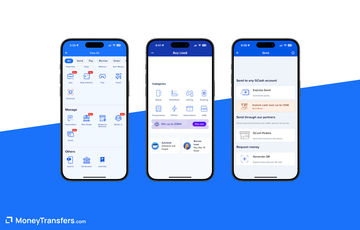
KOHO fits if you already want a prepaid spending account, with money available for local payments and an international sending feature in the app.
You can add money through supported methods such as e-Transfer or direct deposit, then use the account under its funding and transaction limits.
Sending money from your KOHO account
KOHO lets you arrange an international transfer in its app, showing the exchange rate and service fee before you confirm the payment.
You need a verified Essential, Extra or Everything account with a previous load, plus government-issued photo ID to unlock international sending.
For domestic payments, KOHO offers free Interac e-Transfers, which can be simpler than arranging a separate international-style wallet payment.
Before choosing an overseas remittance, check the available receiving method in KOHO rather than assuming its transfer can pay every wallet listed here.
Receiving money in KOHO
You can receive domestic e-Transfers into KOHO through its supported account setup, giving you a CAD balance to use locally.
KOHO cannot receive wire transfers directly because its accounts do not have the required SWIFT, IBAN or BIC details.
If someone abroad wants to pay you, they need a sending service with a supported Canadian delivery method rather than simply wiring money to KOHO.
Domestic phone payments through Interac e-Transfer
Paying someone in Canada
Interac e-Transfer uses an email address or mobile number to notify your recipient, while participating financial institutions move the money between Canadian accounts.
If the recipient uses Autodeposit, check the displayed legal name before paying and confirm the details independently when the request is unexpected.
Your financial institution sets any fee and sending limit, so a phone-number payment should not be assumed free or unlimited.
For example, a GCash recipient taking PHP10,000 out through a partner charging 2% pays PHP200, even after a low-cost international transfer.
A direct bank deposit or supported wallet payment can cost less overall when it avoids that cash-out step.
For a local KOHO payment, free e-Transfers help with domestic transfers, while its international sending fee is shown separately before confirmation.
Mobile money transfer times
Fast wallet delivery begins after the sending company has your funding and clears the required account and recipient checks.
WorldRemit’s MTN Uganda route normally credits instantly, while its Airtel Money alternative can take two to four hours during local business hours.
The operator you choose can therefore change the timing even when the recipient country and Canadian funding method stay the same.
If the money is urgent, ask whether your recipient needs the wallet balance or physical cash, because withdrawal access adds another stage.
Mobile money limits
Check how much the transfer service can send, how much your recipient can receive and how much the wallet can hold afterwards.
Wise caps Philippine wallet payments at PHP50,000, while TapTap Send’s Canadian-origin GCash route permits up to PHP100,000, subject to wallet limits.
KOHO’s international-transfer limits include CAD$5,000 per transaction and daily, plus CAD$15,000 over a rolling 30-day period, with transaction-count restrictions also applying.
If your payment exceeds an account’s allowance, compare a suitable international bank transfer from Canada rather than splitting payments to bypass its checks.
How to send mobile money from Canada
Identify the recipient account
Confirm the wallet’s name, country and registered account details, including whether the receiving service requires a personal account rather than a business wallet.
Check the receiving allowance
Ask your recipient to confirm account verification, available balance space and any monthly allowance before entering the sending amount.
Compare the usable amount
Price the same CAD payment with the same wallet selected, then account for withdrawal or onward-transfer charges if the recipient needs another payment method.
Fund the sending service
Choose an eligible funding method, review the total charge and recipient details, then retain the payment reference after confirmation.
Confirm credit with your recipient
Have your recipient check the balance inside their wallet, including any first-remittance acceptance, rather than relying only on a notification message.
Delayed payments and incorrect details
Start with the sending company’s transfer status, checking whether it needs identity information or is waiting for your funding payment.
If delivery is confirmed but the recipient cannot see the balance, ask them to contact the wallet provider with the receiving details.
Report a wrong number immediately and ask whether the transfer can still be stopped, because recovery may become difficult after delivery.
For a domestic Interac e-Transfer problem, contact your financial institution and avoid sending a second payment until you understand the first payment’s status.
Is mobile money safe?
Use the official app or website, protect your security codes and verify payment requests through a separate conversation with the recipient.
The Bank of Canada supervises payment service providers under the retail-payments framework, including applicable risk-management and end-user fund safeguarding requirements.
Those safeguarding duties are different from bank-deposit insurance, and an overseas wallet’s protection depends on the recipient country and account provider.
For receiving money from abroad in Canada, check a supported Canadian account route and its protection instead of assuming a foreign mobile wallet can receive CAD locally.
Check the international transfer rates for your Canadian-dollar payment, with the recipient’s wallet and any withdrawal charge considered separately.
Compare transfers from Canada
Enter your CAD amount and destination to compare available transfer rates, then check wallet delivery with your selected service.
Our methodology & why trust us
We examine where you hold the money, how you pay the sending service and how your recipient accesses the converted balance.
For Canada, that includes distinguishing prepaid spending accounts and domestic e-Transfers from remittances delivered into an overseas mobile wallet.
We use official route information, wallet tariffs and Canadian payment guidance to check account requirements and the directions each service supports.
Our selected comparisons hold the sending amount and receiving wallet constant, so the price differences relate to the payment you are making.
We assess transfer limits, account allowances and withdrawal charges separately, since an attractive sending price can still leave the recipient with extra costs.
Artiom is a marketing graduate from the University of Portsmouth and has been working across personal finance and remittance industries for several years. He optimises the organic experience on MoneyTransfers.com with the content team, manages and creates unique marketing tactics, and generally supports the overall growth of the website.
Money Transfer Comparison
Fill in the form and we’ll find you the best rates.







Please share your experience with …