
The Best International Money Transfer Apps in Qatar in 2026
Table of Contents

Author: Artiom Pucinskij
Table of Contents
Ooredoo Money is my pick when you want several remittance partners inside one local wallet, rather than a separate account for each service.
For a card-funded transfer, Alfardan's sending app gives you bank, cash and supported wallet options with saved recipients.
QIB Direct Remit is my pick if you already bank with QIB and your recipient's bank is on its supported list.
Search Now & Save On Your Transfer
Instantly view live exchange rates, fees & features.
At a glance
Ooredoo Money: Several remittance partners inside one wallet.
Alfardan: Exchange-house transfers from your phone.
Western Union: Cash collection with mobile payment choices.
Unimoni: Repeat bank transfers with saved recipients.
QIB: Direct Remit from your QIB account.
QNB: Foreign bank payments beside your daily banking.
Al Dar: Transfer receipts and support in one app.
The best apps for sending money abroad
The choice depends on how you fund the transfer and whether the recipient needs a bank deposit, wallet payment or cash.







Ooredoo Money
Ooredoo Money puts several remittance choices inside your wallet
Available on | iOS and Android |
App store rating | 4.8/5 (61k+ ratings) |
Google play rating | 4.8/5 (92k+ reviews) |
Ooredoo Money lets you choose an available remittance partner before sending to a bank, cash-collection location or supported mobile wallet.
Partners include MoneyGram and Western Union, so you can check different receiving options without maintaining a separate account for every company.
You fund the wallet through a local debit card, bank transfer or participating cash-in channel, then complete the overseas order on your phone.
You do not need an Ooredoo SIM, although registration from another Qatar network can require a shop visit.
I like this for regular family payments when the recipient's preferred service is available inside the wallet.
International fees start at QAR20, while debit-card cash-in adds QAR3 and the tariff includes QAR30 annual maintenance.
Listed bank, shop and self-service cash-in channels are free, which can change the total cost compared with topping up by card.
The exchange rate still affects the amount received, and your wallet category determines the applicable sending and balance limits.
Ooredoo Money is worth it | Find an alternative |
|---|---|
Choose between available remittance partners | You only need one occasional payment |
Fund a wallet through local bank or cash channels | Your recipient needs an unsupported service |
Keep family payments beside wallet spending | Card top-up and maintenance outweigh the convenience |
Alfardan
Alfardan supports card-funded payments with saved overseas recipients
Available on | iOS and Android |
App store rating | 4.8/5 (5.4k+ ratings) |
Google play rating | 4.8/5 (4.6k+ reviews) |
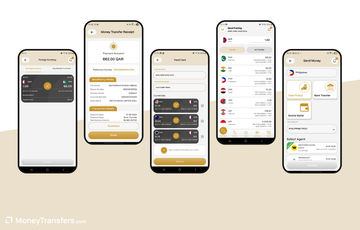
Alfardan's current Send Money app supports beneficiary management and digital receipts, with bank, cash and mobile-wallet delivery where available.
You register using your QID and local mobile number, complete the identity checks and set a PIN before sending.
The sending flow lets you enter either the riyal amount or destination amount, which helps when your recipient needs a particular sum.
You can pay with a Qatari debit card, credit card or Apple Pay, then keep the confirmed receipt in transaction history.
I'd say consider it when those funding choices fit better than maintaining a separate remittance-wallet balance.
The transfer quote contains the fee, exchange rate and recipient amount, with possible issuer charges adding to credit-card funding.
Alfardan also handles Western Union locally, but its own sending app has a different funding flow from the separate Western Union app.
My suggestion is to choose around the recipient and payment method, rather than treat the two apps as independent local exchange networks.
Alfardan is worth it | Find an alternative |
|---|---|
Pay using a Qatar card or Apple Pay | Your card issuer adds a high charge |
Save bank, cash or eligible wallet recipients | You need foreign-currency holding balances |
Keep receipts for repeat overseas payments | The receiving method is unavailable for your destination |
Western Union
Western Union suits a recipient who needs cash collection
Available on | iOS and Android |
App store rating | 4.8/5 (11k+ ratings) |
Google play rating | 4.7/5 (5.4k+ reviews) |
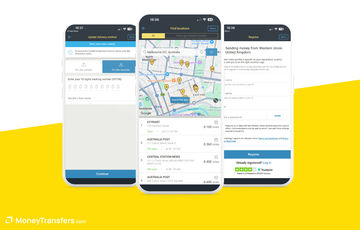
Western Union Qatar lets you select the receiving method, save the recipient and follow the payment with its MTCN.
You can fund online using a Qatari-issued debit card, or start digitally and pay cash at an agent.
I like it for a cash recipient who does not need a foreign bank account or another transfer app.
Cash can be available within minutes after payment and release, with collection dependent on identification and the agent's opening hours.
The local service runs through Alfardan, so you retain an exchange-house support route alongside the transfer record in the app.
Fees start at QAR15, with the amount, destination and receiving method determining the quote and exchange-rate margin.
Its debit-card funding should not be confused with the credit-card and Apple Pay options in Alfardan's separate sending app.
Western Union is worth it | Find an alternative |
|---|---|
Your recipient needs cash collection | You need a foreign-currency account |
Start digitally and pay at an agent | An agent visit does not fit your schedule |
Track a repeat payment through its MTCN | The quoted rate outweighs the cash convenience |
Unimoni
Unimoni keeps your exchange-house payments on your phone
Available on | iOS and Android |
App store rating | 4.4/5 (169 ratings) |
Google play rating | 4.8/5 (2.2k+ reviews) |
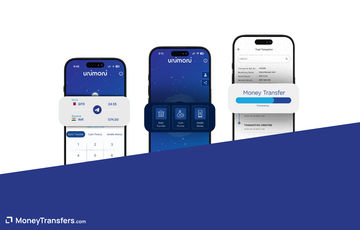
If you already use Unimoni, its Qatar app lets you arrange bank, cash-pickup and supported mobile-wallet transfers without returning to the counter.
The app includes a currency calculator, transfer status and history, alongside a branch locator when you need local support.
You complete the identity checks and mobile verification, then fund the payment with your own debit card issued in Qatar.
Third-party cards are prohibited, so the funding card needs to match your verified account.
I like the combination of a mobile transfer record and branch access for a repeat payment through the same exchange house.
Service charges vary with the payment, while the exchange-rate quote determines the foreign amount your recipient gets.
I'd say compare those costs together rather than choose solely because the app removes a branch visit.
Unimoni is worth it | Find an alternative |
|---|---|
Keep repeat Unimoni payments on your phone | You need to use somebody else’s card |
Fund using your own Qatar debit card | The recipient needs an unsupported payout |
Retain access to branch support | You want to keep foreign currencies between transfers |
QIB
QIB Direct Remit pays supported foreign banks from your account
Available on | iOS and Android |
App store rating | 4.6/5 (20k+ ratings) |
Google play rating | 4.5/5 (16k+ reviews) |
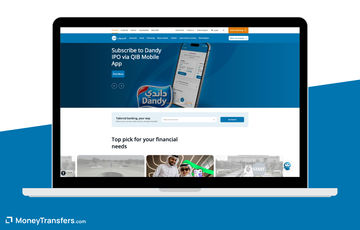
QIB Mobile is a good option if you already have a QIB account and send to a supported Direct Remit bank.
The service covers destinations including India, Nepal, the Philippines, Pakistan, Egypt and the UK, with receiving conditions specific to each country.
You add the beneficiary, allow its cooling period and select Direct Remit before reviewing the amount and authenticating the payment.
Some supported bank payments can arrive in 60 seconds, but that depends on the bank, amount and processing window.
I suggest preparing a new beneficiary before an urgent deadline, rather than discovering the activation wait when you need to send.
Direct Remit uses your bank account, and a QIB credit card cannot fund the payment.
The conversion rate and sending fee remain part of the cost, even when a destination has no correspondent charge.
The Philippines route has a PHP90 correspondent charge and the UK route GBP10, so a fast bank payment is not automatically the cheapest.
QIB is worth it | Find an alternative |
|---|---|
Send from your QIB balance to a supported bank | You need to send immediately to a new beneficiary |
Keep overseas payments beside everyday banking | You want to fund with a credit card |
Prepare repeat beneficiaries ahead of time | Your recipient needs cash or an unsupported wallet |
QNB
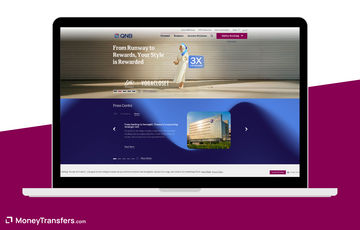
QNB keeps foreign bank payments beside your everyday account
Available on | iOS and Android |
App store rating | 4.4/5 (4.4k+ ratings) |
Google play rating | 4.6/5 (15k+ reviews) |
QNB Mobile lets you manage the recipient, choose the sending currency and follow an international payment beside your account activity.
You fund from your bank balance, which suits a conventional foreign bank transfer without topping up a separate wallet.
I like it when you already bank with QNB and need that account-level record, rather than opening a new bank relationship for one remittance.
Its domestic Fawran payments are separate from international transfers, so local instant payment does not establish foreign arrival time.
The retail tariff charges QAR15 for an international transfer, plus a foreign-currency fund-transfer fee of 0.15% for salaried accounts or 0.50% for non-salaried accounts.
That percentage fee has a QAR1,000 maximum, while the conversion rate and correspondent or receiving-bank deductions can also affect the result.
For a regular family payment, I suggest comparing the full debit with an exchange-house app rather than looking only at the QAR15 fee.
QNB is worth it | Find an alternative |
|---|---|
Send from the bank balance you already hold | The percentage charge adds too much to your payment |
Manage overseas beneficiaries beside your account | Your recipient needs cash collection |
Keep a conventional bank-transfer record | You need an immediate payout on every destination |
Al Dar
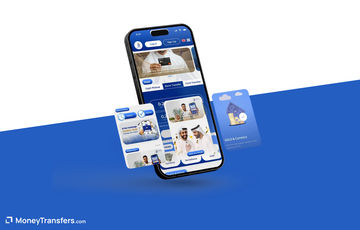
Al Dar puts receipts and transfer support beside the payment
Available on | iOS and Android |
App store rating | 4.8/5 (3.2k+ ratings) |
Google play rating | 4.9/5 (5.1k+ reviews) |
Al Dar's current app lets you activate beneficiaries by OTP, calculate the transfer and follow its status without losing the receipt.
You can download past receipts, find a branch and use live chat, which I like when you need a record for a repeated payment.
Bank transfers and cash collection are available, with the destination determining the actual receiving options.
You register with identity and mobile verification, then review the amount and rate before confirming the order.
Credit-card funding is available, but your issuer's charges need to be included alongside the exchange-house quote.
The fee and exchange rate appear before confirmation, so compare the quote for your recipient and chosen receiving method.
Sending through the app is available around the clock, although that does not make every receiving bank or cash location available immediately.
Al Dar is worth it | Find an alternative |
|---|---|
Download transfer receipts and keep payment history | Your card issuer adds an expensive charge |
Use live chat beside the sending record | You need a foreign balance to keep between payments |
Fund an available transfer by credit card | You need every payout to operate around the clock |
Cheapest apps for sending from Qatar
My suggestion is to compare Ooredoo Money with an exchange-house quote for the same recipient, then include the cost of funding the wallet.
A QAR20 sending fee plus a QAR3 card top-up is a different total from the sending fee alone.
With QNB, the percentage fund-transfer charge can also change the result, especially as your payment amount increases.
App | Cost to include |
|---|---|
Ooredoo Money | Sending fee, conversion, top-up charge and annual maintenance |
Alfardan, Unimoni and Al Dar | Quoted sending fee, conversion and any card-issuer charge |
Western Union | Sending fee and conversion for the selected receiving method |
QIB | Sending quote, conversion and destination correspondent charge |
QNB | QAR15, percentage fund-transfer charge, conversion and bank deductions |
The cheapest ways to send money abroad from Qatar depend on the amount your recipient receives after those costs.
Sending a larger amount?
Regency FX and Key Currency support QAR transfers, but your location affects eligibility, so request a quote to confirm you can use them.
Neither has a dedicated transfer app, but an account manager can help you arrange a substantial bank payment.
Choose between a wallet balance and direct card funding
Ooredoo Money can accept local bank and cash-in funding, while an exchange-house app can take a card payment directly.
I'd say choose around how your salary or available money reaches the sending app, particularly when a top-up adds a separate charge.
For a domestic payment, a local wallet or your bank's Fawran feature may be enough, without creating an overseas remittance.
The recipient's needs still decide the international service, because a bank deposit does not replace cash collection or an unsupported mobile wallet.
Prepare a new beneficiary before an urgent payment
QIB Direct Remit has a beneficiary cooling period, so create the recipient before relying on it for a payment due immediately.
Other apps also need identity approval or beneficiary verification before sending, with your QID and registered mobile number part of that process.
Keep the transfer receipt or MTCN until the recipient receives the money, so you can trace the payment without sending it twice.
Wise works differently from a QAR-funded remittance app
You can hold eligible foreign balances with Wise as a Qatar resident, but you cannot fund a transfer directly in QAR.
That can suit foreign money you already have, while converting and transferring money from a Qatar bank adds a separate funding cost.
I'd say assess it as a multi-currency account in Qatar for supported foreign balances, rather than substituting it for the local sending apps above.
The Wise card is unavailable for Qatar residents, so holding a balance does not give you a Wise spending card.
How to send money abroad through an app
Pick the recipient's receiving method
Choose the bank, cash or wallet option your recipient can use, then select an app that supports it.
Complete identity and beneficiary checks
Prepare your QID and registered mobile number, with any beneficiary activation completed before a time-sensitive payment.
Review funding and the full quote
Check the fee, conversion and recipient amount, including a wallet top-up charge or card-issuer cost where relevant.
Pay and retain the transfer record
Authorise the payment and keep the receipt or tracking number until the recipient can use the money.
Check the recipient's receiving option in the app, then compare the full quote before confirming your riyal payment.
Enter your destination and QAR amount below to compare available transfer prices from Qatar before choosing how to send.
Compare transfers from Qatar
Enter your destination and amount to compare available QAR transfer fees, exchange rates and recipient amounts.Our methodology & why trust us
I selected locally eligible mobile services around wallet funding, exchange-house sending and foreign bank payments, with different recipient needs kept separate.
Our research checked current Qatar app listings, official local sending flows, tariffs and the relevant licensed banks or exchange-house partners.
I assessed beneficiary management and transfer records alongside funding charges, conversion and restrictions that change the choice.
We may earn commission from some companies, but commercial agreements do not determine my selection or opinions.
Our review process explains how we assess transfer companies and their services.

Contributors

Please share your experience with …