We only list companies that are trustworthy and appropriately licensed. Our aim is to give you a comprehensive view of the regulated money transfer marketplace.
|Disclosure
MoneyTransfers aims to help users find the best money transfer provider for their needs. To support our free service, we may earn a commission from some of the providers listed in our search results. The commission may also impact the ordering of the providers shown. Our reviews are independent from this and are based on our editorial policy, research and testing of dozens of remittance providers on the market.
Table of Contents
You can send pesos abroad through Wise, GoTyme or GCash without first opening a separate US dollar bank account.
I suggest considering Wise for foreign bank payments and currency balances, or GoTyme if you want to send directly from your everyday bank account.
GCash is a good option for supported overseas wallets, while Western Union covers recipients who need cash collection.
Search Now & Save On Your Transfer
Instantly view live exchange rates, fees & features.
At a glance
Wise: Bank payments and foreign balances.
GoTyme: Sending from your everyday bank balance.
GCash: Supported overseas wallets from your peso wallet.
Western Union: Cash collection with QR Ph funding.
BPI: Bank remittances from your BPI account.
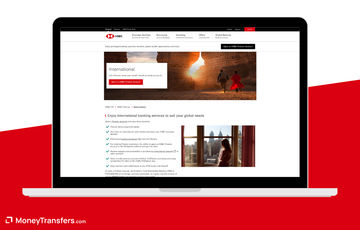
HSBC: Moving money to your own overseas HSBC accounts.
Find a rate for sending pesos abroad
Enter your destination and PHP amount to check available transfer quotes.
The best apps for sending money abroad
These apps support different receiving methods, from foreign bank deposits to selected wallets and cash collection.
Bank payments and foreign balances
9.2
Wise
Fees
0.1% - 2.6%
Exchange Rate Markup
0%
Transfer Speed
Minutes - 24 hours
"Over 15 million customers use Wise, mostly for their excellent mobile app, transparent fee structure & use of mid-market rates. Now increasingly used for larger transfers."
Sending from your everyday bank balance
?
GoTyme Bank
Fees
Exchange Rate Markup
Transfer Speed
Supported overseas wallets from your peso wallet
?
GCash
Fees
Exchange Rate Markup
Transfer Speed
Cash collection with QR Ph funding
8.1
Western Union
Fees
None
Exchange Rate Markup
0.2% - 1.5%
Transfer Speed
1 - 5 days
Bank remittances from your BPI account
?
BPI
Fees
Exchange Rate Markup
Transfer Speed
Moving money to your own overseas HSBC accounts
5.9
HSBC
Fees
From $/£10
Exchange Rate Markup
3 - 5%
Transfer Speed
1 - 4 days
Wise
Wise combines overseas bank payments with foreign balances
Available on
iOS and Android
App store rating
4.7/5 (17k+ ratings)
Google play rating
4.9/5 (2m+ reviews)
Wise lets you create the payment, save the recipient and follow the transfer's progress on your phone.
You can fund a PHP transfer from your own Philippine bank or e-wallet, using the payment instructions attached to the order.
InstaPay funding has a PHP50,000 ceiling, while PESONet supports higher funding amounts up to PHP9 million.
Those payment-rail limits are separate from Wise's PHP conversion limits of US$10,000 equivalent per transaction and US$50,000 per calendar month.
GoTyme sends abroad from the bank balance you already use
Available on
iOS and Android
App store rating
4.7/5 (28k+ ratings)
Google play rating
4.9/5 (56k+ reviews)
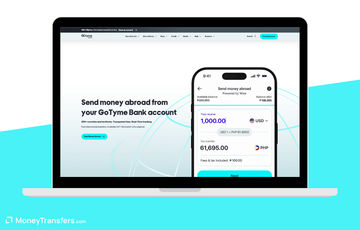
If you already have GoTyme, its Send money abroad feature uses your PHP Everyday Account balance directly.
You choose the currency and arrival estimate, then enter the recipient's bank or supported wallet details before authorising the order.
I like the recipient favourites and repeat-transfer function for regular payments, with fees and the reference kept in your transaction history.
Supported options include SGD bank payments and PayNow, alongside CNY payments to Alipay where that receiving option is available.
You can manage your local banking and overseas payments together, although GoTyme is not a separate foreign-currency holding account.
The cost breakdown includes the exchange rate, fixed and variable fees, documentary stamp tax where required and any applicable SWIFT charge.
Intermediary or receiving-bank deductions can add to the cost of a SWIFT payment, so the debit breakdown needs more attention than a transfer-fee headline.
Funding through linked-bank pull deposits has been discontinued, but you can transfer money into GoTyme from your sending bank or use available deposit channels.
I suggest checking the recipient carefully before confirming, because you cannot edit or cancel the international transfer afterwards.
GoTyme is worth it
Find an alternative
Send directly from your PHP bank balance
You need foreign balances with receiving details
Save overseas recipients and repeat payments
You want an editable confirmed transfer
Keep local banking beside international sending
Your recipient needs cash pickup
GCash
GCash sends to supported overseas wallets without a new transfer account
Available on
iOS and Android
App store rating
3.0/5 (162k+ ratings)
Google play rating
4.2/5 (3.4m+ reviews)
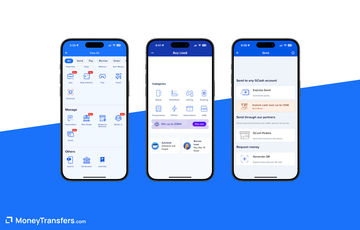
GCash International Transfer lets you pay from your verified peso wallet, with overseas receiving options inside Transfer and International.
For China, the supported partners include Alipay, WeChat and UnionPay, while Australian bank payments are another available option.
You enter the destination currency and recipient details, review the converted amount and fees, then pay from your wallet balance.
Confirmation arrives through email or the app inbox, giving you a record without moving the order into a separate transfer service.
The minimum is PHP500, while your wallet and transaction limits determine the maximum you can send.
Fees depend on the country and amount, with the exchange rate also affecting what your recipient receives.
Cash-in charges from your funding channel are separate, so I'd say include them when deciding whether to use an existing GCash balance.
Selected China-wallet and Australian-bank payments arrive the same day, including weekends, but delivery differs for other countries.
Confirmed orders cannot be cancelled, making this a good fit for known recipients rather than a payment you might need to change.
GCash is worth it
Find an alternative
Pay a supported overseas wallet
The recipient is outside International Transfer partners
Use money already in your verified GCash wallet
You need to hold foreign currencies
Keep the payment and receipt in one app
You need cash collection abroad
Western Union
Western Union gives your recipient a cash-collection option
Available on
iOS and Android
App store rating
4.8/5 (519 ratings)
Google play rating
4.5/5 (727+ reviews)
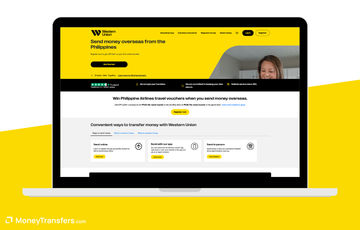
Western Union's Philippine app lets you create an overseas transfer and fund it through QR Ph.
You choose the destination and receiving method, enter the recipient and complete the local payment before following the transfer with its MTCN.
I think it is worth considering over a bank-only app when your recipient needs cash or an available mobile-wallet deposit.
Saved recipients and biometric login help with repeat transfers, without requiring the recipient to open a Western Union account.
You can also start a transfer on your phone and pay at an agent, although that option still requires the visit.
Cash can be available within minutes after funding and release, with collection dependent on the participating location's opening hours.
There is no mandatory subscription, but the transfer fee and exchange-rate margin vary with the amount, destination and receiving method.
Your QR Ph funding source or another third party can also charge, so free app registration does not make the payment free.
Western Union is worth it
Find an alternative
Your recipient needs cash collection
You need a foreign-currency holding account
Fund a mobile order through QR Ph
The collection location is inconvenient
Reuse recipients and track an MTCN
You want to avoid exchange-rate margins
BPI
BPI works for a foreign bank payment from your existing account
Available on
iOS and Android
App store rating
4.7/5 (306k+ ratings)
Google play rating
4.8/5 (368k+ reviews)
You can start BPI's outward-remittance process under More Services, then Remittance and Foreign Exchange in the current app.
The linked digital workflow asks for the beneficiary and bank details, followed by BPI Online login and mobile OTP authorisation.
That is less self-contained than GoTyme's sending flow, but it keeps the payment connected to your enrolled BPI account.
You can debit PHP or USD and send the seven digital currencies, USD, CAD, AUD, EUR, GBP, SGD and HKD.
The digital maximum is US$10,000 or PHP500,000 per transfer, and Swift GPI tracing helps follow the bank payment.
For a peso debit, BPI charges PHP600 commission plus PHP0.60 documentary stamp tax for every PHP200.
That makes the stated charges PHP750 on a PHP50,000 payment, before the exchange-rate cost and any correspondent or receiving-bank deductions.
A USD-account debit has a US$14 charge, which is a different cost basis from sending pesos.
I suggest using BPI when you need this bank-payment workflow, rather than choosing it solely for a small transfer where the fixed fee weighs heavily.
BPI is worth it
Find an alternative
Use your enrolled PHP or USD account
The fixed fee is too high for your amount
Send a documented foreign bank payment
Your recipient needs a wallet or cash
Follow the payment through Swift GPI
You need more than seven digital currencies
HSBC
HSBC moves money between your own accounts in different countries
Available on
iOS and Android
App store rating
2.3/5 (235 ratings)
Google play rating
4.4/5 (1.5k+ reviews)
HSBC is a specialist option if you already bank with it here and hold an eligible HSBC account abroad.
Global View and Transfer lets you see those accounts together and move foreign-currency balances from the Philippine app.
You first link your own overseas accounts through online banking, then select the international account under Pay and Transfer.
The app also supports PHP exchange against 11 foreign currencies, with purpose and documentation requirements applying to the conversion.
I like this for moving savings between your own accounts, rather than opening a bank relationship for one small payment.
Outward Global Transfers to Family and Friends are unavailable in the Philippines, so this does not cover paying somebody else's account.
The daily limit is US$200,000 equivalent, subject to the receiving market, and some transfers take up to five working days.
Eligible linked transfers have a Philippine fee waiver, but currency conversion still uses HSBC's rate and another HSBC market can charge Personal Banking fees.
Account-package requirements are separate from the transfer, and Premier is not the only eligible category for own-account Global Transfers.
HSBC is worth it
Find an alternative
Move money to your own linked HSBC account
You need to pay family or another third party
Manage overseas accounts beside local banking
You want to open an account for one small payment
Transfer foreign money you already hold
You need every destination to arrive immediately
Cheapest apps for sending pesos abroad
Wise gives you a mid-market conversion with a separate fee, while GoTyme and GCash quote their costs within the sending flow.
Our live PHP results currently cover Wise, so I'd say also check the local apps when they support your recipient's bank or wallet.
For a small payment, a fixed bank commission can cost more than the convenience of using the account you already have.
Wise, GoTyme and GCash can start an overseas payment with pesos, while BPI also supports a PHP-account debit.
A foreign-currency account becomes more useful when you already receive that currency or need to retain it for later payments.
HSBC's own-account Global Transfers use foreign-currency balances, which is a different task from paying an overseas relative through a peso wallet.
BDO remains another bank-wire option, but its foreign USD wire process is on the website rather than the mobile app.
InstaPay funding is different from overseas delivery
An InstaPay payment can move pesos into the sending account, but the international transfer still has its own conversion and delivery stages.
PESONet funding also has its own processing timetable, so the receiving estimate needs to include when the sending service gets your money.
I'd say follow the complete arrival estimate, rather than assume an immediate local debit means the overseas recipient has already been paid.
For a domestic peso payment, your usual banking app or a mobile wallet in the Philippines may be enough, without creating an international order.
Prepare the recipient and transfer purpose
Bank payments need the destination's account details, while a named overseas wallet needs the exact registered identifier required in the sending app.
Philippine foreign-exchange rules can require a transfer purpose and supporting documents, with additional checks for larger or unusual payments.
The app's sending limit, the local funding rail and your account-verification limit are separate, so a high funding ceiling does not override the others.
How to send money abroad through an app
Choose the receiving method
Select an app that supports the recipient's bank, named wallet or cash collection, rather than choose solely around your own account.
Complete verification and add the recipient
Finish the account checks, then enter the required foreign details and payment purpose before arranging the transfer.
Check the total peso debit
Review the exchange rate, transfer fee, tax and funding charges, alongside any receiving-bank costs attached to the payment.
Confirm and keep the reference
Authorise the order and retain its receipt or tracking reference until the recipient has received the money.
Enter your destination and peso amount in the comparison form, then check the quoted cost beside the local app's receiving option.
Compare transfers from the Philippines
Enter your destination and amount to compare available PHP transfer fees, exchange rates and recipient amounts.
Our methodology & why trust us
I chose apps that support sending from the Philippines, including local peso funding and a clearly separated own-account bank option.
Our research checked Philippine app-store listings, official mobile sending flows, local regulation and current PHP transfer results.
I assessed recipient management and funding alongside the receiving methods, conversion charges and account restrictions that change the choice.
We may earn commission from some companies, but commercial agreements do not determine my selection or opinions.
Our review process explains how we assess transfer companies and their services.
















Please share your experience with …