
The Best International Money Transfer Apps in Kenya in 2026
Table of Contents

Author: Artiom Pucinskij
Table of Contents
My OneApp, the renamed M-PESA app, is my pick when you want to send directly from your M-PESA balance.
My suggestion is Mukuru when you need a choice of funding methods, or Equity Mobile for a payment to another regional Equity account.
For overseas cash collection from your bank balance, KCB Mobile's Western Union service gives you another mobile route.
The best app depends on where the money is now and how your recipient needs to receive it.
Search Now & Save On Your Transfer
Instantly view live exchange rates, fees & features.
At a glance
My OneApp: Sending from your M-PESA balance.
Mukuru: App orders with M-PESA or branch funding.
KCB Mobile: Overseas cash collection through your bank.
Equity Mobile: Regional Equity-to-Equity payments.
SC Mobile Kenya: Scheduled overseas bank payments.
PrimeMobi: Bank or wallet transfers with corridor pricing.
Apps that send from your Kenyan wallet or bank account
These apps cover different receiving methods, from regional mobile wallets to foreign bank payments and overseas cash collection.
 - Logo.svg)




My OneApp
My OneApp sends abroad from the M-PESA balance you already use
Available on | iOS and Android |
App store rating | 3.9/5 (10k+ ratings) |
Google play rating | 4.3/5 (710k+ reviews) |
You can use M-PESA Global inside My OneApp after opting into the service with an active registered M-PESA account.
The app combines your M-PESA balance and payment history with Safaricom services, so international sending sits beside familiar local transactions.
I like it for a supported overseas wallet because you do not first need to move the money into a bank account.
Direct mobile destinations include Uganda, Tanzania and Rwanda, alongside other supported countries in Africa and beyond.
Partner routes extend to foreign bank accounts and cash collection, with the country and receiving method determining the available service.
You enter the destination and recipient details, then use the Global cost estimator to check the fee and exchange rate.
GlobalPay card spending and PayPal account top-ups are separate functions, so they should not be confused with an unrestricted overseas wallet payment.
There is no compulsory paid app subscription for Global sending, but transfer charges and the exchange rate still affect what arrives.
I'd say include the recipient's wallet withdrawal charge when deciding how much support the payment will provide.
My OneApp is worth it | Find an alternative |
|---|---|
Send from an available M-PESA balance | You need help documenting a large bank payment |
Keep local and international transactions together | Your receiving country is outside the available routes |
Choose a supported regional wallet route | You want to hold foreign currencies |
Mukuru
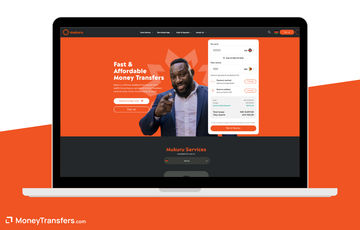
Mukuru gives you an app order with M-PESA or branch payment
Available on | iOS and Android |
App store rating | 4.8/5 (50 ratings) |
Google play rating | 4.2/5 (19k+ reviews) |
Mukuru lets you register in Kenya, create the order on your phone and choose an available bank, wallet or cash receiving method.
I like it when you want the convenience of mobile setup without making branch funding unavailable.
You enter your personal details and accepted Kenyan or foreign identification, then add the recipient and choose the delivery route.
You can pay through M-PESA or at a Mukuru branch, with the quote showing the receiving amount and charges.
That separates how you pay from how your family receives the money, rather than requiring both ends to use the same wallet.
The Core tier has a USD7,500 monthly limit, while higher limits require additional checks and evidence of income.
These limits are measured in dollars, so the available KES amount changes with the exchange rate and your remaining allowance.
The transfer's fee and rate depend on the destination and amount, rather than a single fixed Kenyan tariff.
I suggest comparing the amount received for the same KES payment, including any recipient wallet or bank deductions.
Mukuru is worth it | Find an alternative |
|---|---|
Create the order on your phone | You need a foreign spending account |
Choose M-PESA or branch funding | You want a recurring bank-payment schedule |
Support cash, bank or wallet receiving | Your amount needs checks you cannot complete |
KCB Mobile
KCB Mobile adds Western Union to your bank payments
Available on | iOS and Android |
App store rating | 4.7/5 (4k+ ratings) |
Google play rating | 4.6/5 (52k+ reviews) |
If you already have a KCB account, you can use its Western Union service through KCB Mobile to arrange an overseas payment.
I like it for a recipient who needs cash collection while your sending money is already in the bank.
The current app also manages your bank balance, accepts mobile-money account funding and provides transaction notifications.
You select the Western Union service, enter the receiving country and recipient, then check the available payout and quote before confirming.
For cash collection, share the transfer reference and make sure the recipient's name matches their identification.
Collection still follows the receiving agent's opening hours, even when you submit the order from your phone.
Western Union's fee and exchange-rate cost depend on the route and receiving method, with underlying KCB account charges considered separately.
I suggest comparing its cash-collection quote with Mukuru rather than judging the price against an unrelated bank-deposit transfer.
KCB Mobile is worth it | Find an alternative |
|---|---|
Send from the KCB balance you already hold | You mainly need a foreign-currency spending card |
Arrange overseas cash collection | You want to pay cash without a bank account |
Manage local banking beside foreign orders | Your recipient needs a route the app does not offer |
Equity Mobile
Equity Mobile suits payments to another regional Equity account
Available on | iOS and Android |
App store rating | 4.8/5 (40k+ ratings) |
Google play rating | 4.7/5 (360k+ reviews) |
Equity's Borderless Banking lets you send from Kenya to Equity account holders in Uganda, Tanzania, Rwanda and South Sudan through the mobile app.
I think this route is worth considering when your recipient already has the matching regional bank account.
The app keeps saved favourites, downloadable receipts and account statements together, with biometric access and a choice of supported languages including Swahili.
That helps when you repeat a family payment or need to retrieve evidence of an earlier transfer.
Both you and the recipient need the required account verification, and the regional service does not cover every overseas bank.
The Kenya Borderless transfer fee is USD6, while the exchange rate determines the recipient's converted amount.
That fixed fee has more impact on a small payment, so a supported wallet route can deserve a separate quote.
For other international bank payments, use the app's available service and its separate tariff rather than applying the Borderless price to SWIFT.
The cost of the underlying Equity account also depends on the account you hold.
Equity Mobile is worth it | Find an alternative |
|---|---|
Pay a regional Equity account | Your recipient needs overseas cash collection |
Save favourites for repeat bank payments | You are sending a very small regional payment |
Download receipts and statements on your phone | Your recipient uses a bank outside the Borderless network |
SC Mobile Kenya
SC Mobile Kenya schedules overseas bank payments
Available on | iOS and Android |
App store rating | 4.7/5 (7k+ ratings) |
Google play rating | 4.7/5 (15k+ reviews) |
You need a bank account first, and the transfer charge sits alongside the exchange cost and any applicable correspondent-bank charges.
Inside the app, add an international payee under Transfers, enter their bank details and confirm the addition with an OTP.
You can then pay from your account or set a future date, which helps when rent or another regular bill needs paying abroad.
Supported Visa-card recipients are another delivery option, although that does not mean you can fund the transfer with a credit card.
A KES telegraphic or SWIFT transfer costs KES1,400 before applicable extra charges, so I'd say compare the final foreign amount before sending a small payment.
Foreign-currency accounts use a separate 0.25% tariff with currency-specific minimums and maximums, which can change the calculation when you already hold the payment currency.
Hifadhi has no monthly maintenance charge and supports separate foreign-currency accounts, although other banking plans can have different account costs.
I'd say consider these multi-currency bank accounts in Kenya when you want to keep foreign income between international payments, rather than convert it immediately into shillings.
For repeated bank payments, I suggest using scheduling and saved payees, then comparing a wallet-funded service when the recipient needs cash or mobile money.
SC Mobile Kenya is worth it | Find an alternative |
|---|---|
You already use Standard Chartered and need overseas bank payments | Your recipient needs cash collection or a mobile-wallet deposit |
You want to set future-dated or recurring payments | You only need one small payment and do not want a bank account |
You hold the payment currency in an eligible account | The minimum transfer fee makes your small payment expensive |
PrimeMobi
PrimeMobi keeps bank and wallet recipients beside your Prime account
Available on | iOS and Android |
App store rating | 4.4/5 (52 ratings) |
Google play rating | 4.2/5 (570+ reviews) |
You need an individual Prime Bank account and PrimeMobi registration before using Prime Remit, rather than a standalone remittance signup.
Open Prime Remit inside the app, choose a supported destination and recipient, then review the conversion and delivery option before confirming.
You can keep several beneficiaries, which saves entering the same bank or wallet information when you send another payment.
The service uses a login PIN and a separate transaction PIN, with both the daily and individual transfer limits set at US$5,000 equivalent.
Each transfer combines a destination-dependent flat charge with 0.5% of the sending amount, and some corridors add another percentage component.
For example, the Uganda bank or wallet route costs US$1.10 plus 0.5%, with the exchange rate determining the full KES payment.
That percentage component grows with the amount, so I suggest comparing the final recipient amount even when the flat fee looks low.
Recipient-bank charges can also apply, and the bank can request supporting documents when it needs to check the payment's purpose.
I like this when its supported bank or wallet route fits the recipient, but suggest confirming the app's total against another local service.
PrimeMobi is worth it | Find an alternative |
|---|---|
You already use Prime Bank and have registered for PrimeMobi | You want a standalone app without opening a bank account |
Your recipient has a supported bank account or wallet | You need overseas cash collection |
You repeat payments to saved beneficiaries | You need more than US$5,000 equivalent in one day |
Cheapest apps for sending abroad from Kenya
I suggest comparing the final amount received for the same KES budget, because a low sending fee can be offset by the exchange rate.
These cost structures help narrow the choice before you request a destination-specific quote inside the app.
App or route | Cost to include |
|---|---|
M-PESA Global | Route fee, exchange rate and any recipient cash-out charge |
Mukuru | Quoted sending charge, exchange rate and selected receiving method |
KCB Mobile / Western Union | Current route fee and exchange-rate margin |
Equity Borderless | USD6 transfer fee and exchange rate for the regional route |
SC Mobile | Applicable transfer tariff, exchange rate and correspondent charges |
Prime Remit | Corridor flat charge plus 0.5%, with additional charges on some routes |
For a small regional payment, my suggestion is to get a wallet-route quote before paying a fixed international bank fee.
The cheapest way to send money abroad from Kenya can change for a larger bank payment, where the exchange-rate difference has more impact.
Wallet sending or a bank payment?
M-PESA Global suits money already in your wallet, while Mukuru gives you another quote funded through M-PESA or a branch.
For an Equity recipient in the regional network, Borderless avoids treating the payment as an unrelated global-bank transfer.
Tuition, rent or a supplier invoice can require bank details and supporting documents, making a banking app more suitable than cash collection.
For an urgent personal payment abroad, compare fast transfer routes from Kenya before funding, allowing for checks and the recipient’s access to the money.
Sending a larger amount?
Regency FX and Key Currency support KES transfers, but your location affects eligibility, so request a quote to confirm you can use them.
Neither has a dedicated transfer app, but I suggest comparing their international money transfer services in Kenya before making a substantial bank payment.
Do you need a new app for a local payment?
For a payment inside Kenya, the M-PESA or banking app you already use can cover the transfer without an international service.
PesaLink and local mobile-money transfers are different payment routes, so their domestic fees should not be treated as overseas sending prices.
Receiving money from abroad into M-PESA also does not establish that a global remittance app accepts you as a KES-funded sender.
How to send abroad from your phone
Match the recipient to the route
Choose the receiving bank, wallet or cash location first, then use an app that supports that destination and method.
Activate the sending account
Complete the app's registration and identity checks, including any bank or mobile-money activation needed before creating the overseas order.
Check the full KES payment
Review the sending fee and exchange rate beside the recipient amount, including applicable bank deductions or wallet cash-out costs.
Confirm and keep the receipt
Authorise the payment inside the official app, then keep its receipt or tracking reference until the recipient has received the money.
Choose the route that fits your recipient, then check its current quote in the official app before confirming the payment.
Enter your destination and KES amount below to compare available transfer prices from Kenya before choosing how to send.
Compare transfers from Kenya
Enter your destination and amount to compare available KES transfer fees, exchange rates and recipient amounts.Our methodology & why trust us
I selected these apps for verified Kenya-origin sending and the mobile tasks they support, including wallet-funded payments, regional banking and overseas cash collection.
Our research checked local account eligibility, recipient methods, current app listings and official tariffs alongside Kenyan bank and remittance regulation.
The selection excludes an app listing when it does not establish that you can send from Kenya through that app.
We may earn commission from some companies, but commercial agreements do not determine my selection or opinions.
Our review process explains how we assess companies and transfer services.
Sources
Receiving money from abroad
The account you use every day is often the simplest destination, provided it can accept the payment and has enough capacity.
Best multi-currency business accounts
A business multi-currency account lets you receive overseas revenue, retain it in the original currency and pay matching expenses without converting everything into shillings.
Instant money transfers
Send abroad from your existing M-Pesa wallet

Cheapest ways to send money abroad from Kenya
The cheapest route delivers the most after matching the KES amount, destination, funding method and recipient outcome.
Best international money transfer services in Kenya
Choose the route around the recipient method first, because a strong wallet service can still be useless for a university or overseas bank account.
Contributors

Please share your experience with …