We only list companies that are trustworthy and appropriately licensed. Our aim is to give you a comprehensive view of the regulated money transfer marketplace.
|Disclosure
MoneyTransfers aims to help users find the best money transfer provider for their needs. To support our free service, we may earn a commission from some of the providers listed in our search results. The commission may also impact the ordering of the providers shown. Our reviews are independent from this and are based on our editorial policy, research and testing of dozens of remittance providers on the market.
Table of Contents
I suggest Wise for overseas payments and travel money, with scheduled transfers and currency balances managed from the same app.
Revolut offers more everyday account features, while Remitly and Taptap Send suit family payments with local receiving options.
If you already have N26, you can use it to send an occasional international transfer without opening a separate Wise account.
Search Now & Save On Your Transfer
Instantly view live exchange rates, fees & features.
At a glance
Wise: scheduled payments and travel money
Revolut: transfers alongside everyday account features
Remitly: managing repeat family payments
Taptap Send: supported mobile-wallet payments
TransferGo: eligible card-number delivery
Xe: exchange-rate alerts and payment tracking
Currencies Direct: an app with personal transfer support
Western Union: starting in the app and paying cash
N26: foreign-currency payments if you already use it
Best apps for sending money abroad from Germany
These apps cover different sending needs, from regular family support to managing overseas payments alongside your everyday account.
Scheduled payments and travel money
9.2
Wise
Fees
0.1% - 2.6%
Exchange Rate Markup
0%
Transfer Speed
Minutes - 24 hours
"Over 15 million customers use Wise, mostly for their excellent mobile app, transparent fee structure & use of mid-market rates. Now increasingly used for larger transfers."
Everyday account features
8.8
Revolut
Fees
0.3% - 1%
Exchange Rate Markup
0.1% - 0.6%
Transfer Speed
Minutes - 5 days
“Revolut has 70+ million customers globally. You can hold 35+ currencies in the app and send money quickly in 35+ currencies to 140+ countries.”
US Disclaimer: Revolut is not a bank. Banking services are provided by Lead Bank, Member FDIC. Fees may apply. See revolut.com/en-US/ for details.
Repeat family payments
8.2
Remitly
Fees
None
Exchange Rate Markup
0.1% - 1.3%
Transfer Speed
Minutes - 3 days
"Remitly focuses on sending money to friends and family in Asia, Africa and South America. Wide coverage and well-suited to regular transfers home."
Mobile-wallet payments
8.5
TapTap Send
Fees
Exchange Rate Markup
Transfer Speed
Minutes
"TapTap Send facilitates money transfers to bank accounts & mobile money wallets on popular networks with competitive rates."
Card-number delivery
8.4
TransferGo
Fees
None
Exchange Rate Markup
0.3% - 1.1%
Transfer Speed
Minutes - 24 hours
"Instant transfers to Visa & MasterCard. Over 35,000 reviews on TrustPilot."
Rate alerts and tracking
8.6
Xe
Fees
$1.99 - $2.99
Exchange Rate Markup
0.3% - 2.1%
Transfer Speed
Minutes - 24 hours
"Xe has over 30 years of currency exchange experience, and is one of the most reputable names on the market. 200 countries, 100 currencies, & funds often received in seconds."
Personal support with an app
8.9
Currencies Direct
Fees
None
Exchange Rate Markup
0.2% - 2%
Transfer Speed
Minutes - 24 hours
"Currencies Direct have over 30 years of global money transfer expertise. Award winning service with a TrustPilot rating of 4.9. Lock-in rates for the future or trade 24/7 on web or mobile."
App-to-agent cash funding
8.1
Western Union
Fees
None
Exchange Rate Markup
0.2% - 1.5%
Transfer Speed
1 - 5 days
Sending from your N26 account
7.1
N26
Fees
Exchange Rate Markup
Transfer Speed
Wise
Wise combines scheduled payments with travel money
Available on
iOS and Android
App store rating
4.7/5 (47k+ ratings)
Google play rating
4.8/5 (2m+ reviews)
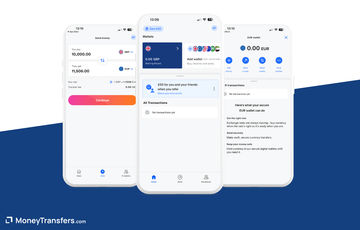
I think Wise is a good fit when you want overseas bank payments and travel spending in the same app, without paying for a monthly plan.
You can save recipients, manage currency balances and schedule one-off or recurring payments from your phone.
You can hold foreign income in its original currency, receive supported payments through account details and spend a matching balance with your Wise card.
If you are paid in pounds or dollars, this avoids converting everything into euros before spending that currency again.
I think this multi-currency account is a good fit for combining overseas income with travel spending, alongside scheduled payments for rent or family support.
The scheduled date is when Wise sends your money, so allow for the recipient bank's processing time before a bill becomes overdue.
A scheduled EUR payment also needs enough money in the relevant Wise balance, rather than relying on an automatic debit from your German bank.
You can register and complete identity checks through the app, then fund eligible transfers by bank payment, connected bank payment or a supported card.
Wise does not support SOFORT funding, and a girocard without a supported card network is not a substitute for an eligible Visa or Mastercard.
Payments normally go to the recipient's bank account, which makes Remitly or Taptap more suitable when someone needs cash or a mobile wallet.
Conversion uses the mid-market rate with a separate fee, while the funding method and currency change the total cost.
There is no personal monthly subscription, but ordering a card and using some receiving or withdrawal services can add charges.
For €1,000 and €5,000 bank payments, the figures below show how Wise's separate fee changes with the receiving currency.
I like the combination of transfers and currency balances, although I suggest keeping a standalone remittance app for recipients whose delivery needs Wise cannot meet.
Wise is worth it
Find an alternative
Schedule regular overseas payments
Recipient needs cash collection
Manage foreign income and travel spending
You need personal help arranging a contract
Send without a monthly subscription
You want to fund a scheduled EUR payment directly from your bank
Revolut
Revolut brings transfers and everyday banking together
Available on
iOS and Android
App store rating
4.9/5 (240k+ ratings)
Google play rating
4.8/5 (4.1m+ reviews)
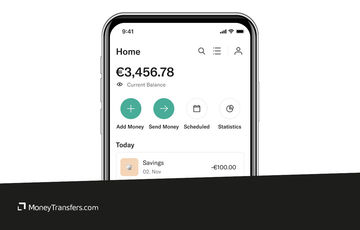
Revolut is my pick when you want transfers, card spending and day-to-day account management in one app.
Alongside euros, you can hold and exchange supported foreign currencies, then spend a matching balance with your Revolut card.
Keeping holiday money in its original currency avoids converting it back to euros between trips.
I like that you can manage these balances alongside everyday payments and virtual cards, with card conversions and transfer conversions using the same exchange allowance.
You can pay another Revolut user instantly for free, which works well when friends or family already have verified accounts.
For someone using a normal bank account abroad, you add their bank details and check the separate transfer fee and arrival estimate.
Funding by bank transfer is free, while commercial or non-EEA cards can carry a top-up charge.
You need to open and verify a Revolut account, rather than just register a one-off transfer order.
The free Standard plan is enough to try its transfer functions, but the exchange allowance makes the amount and timing important.
If you have a German-branch Standard account, converting above €1,000 per month incurs a 0.5% fair-use fee on the excess.
Weekend conversion carries a separate 1% charge, and Revolut uses its own exchange rate rather than promising the mid-market rate.
Paid plans change allowances and add other benefits, so include the subscription and any cancellation terms when working out your saving.
Here is how Revolut's transfer fees and exchange rates affect the amount received when you send €1,000 or €5,000.
My suggestion is to stay on Standard for occasional payments unless the extra card, travel or account features justify paying every month.
Revolut is worth it
Find an alternative
Manage transfers alongside everyday spending
You only need an occasional payment with no account extras
Pay family who already use Revolut
Recipient needs cash or a mobile-money wallet
Use virtual cards and currency balances
Your conversion exceeds the free allowance regularly
Remitly
Remitly makes repeat family payments easier to manage
Available on
iOS and Android
App store rating
4.8/5 (62k+ ratings)
Google play rating
4.7/5 (1.6m+ reviews)
Remitly is a good fit when your regular recipient needs a local bank, wallet or cash payment rather than a new financial account.
The app keeps transfer history and recipient details together, making repeat payments easier to manage without re-entering the same information.
You choose the receiving method while creating the transfer, then track its progress and estimated arrival from your phone.
That is especially helpful when a family member needs confirmation that money has reached their bank or is ready for collection.
You can create your account and complete requested identity checks in the app, although additional checks can delay a first or larger payment.
Germany funding options include eligible cards, Apple Pay, Google Pay, Klarna and supported connected bank-payment services, with the actual choices shown for your transfer.
Do not assume every recipient can collect cash simply because the app offers that option in another country.
Before the transfer is processed, eligible changes or cancellation can be managed through the app's transfer history.
Once processing has advanced, you may need support, so sending another payment immediately can create a duplicate.
There is no required monthly transfer subscription, but fees and the exchange-rate margin vary with the payment and delivery options.
A first-transfer promotion can improve the opening price without making later transfers equally cheap, so I suggest checking the repeat quote before settling on it.
The figures below put Remitly's transfer fee alongside its exchange-rate margin, showing what reaches the recipient from €1,000 and €5,000.
You need a negotiated rate for a large planned payment
Manage an eligible transfer change in the app
You are choosing solely on an introductory offer
Taptap Send
Taptap Send works well for regular mobile-wallet payments
Available on
iOS and Android
App store rating
4.7/5 (11k+ ratings)
Google play rating
4.6/5 (340k+ reviews)
I think Taptap Send is worth considering when family can receive money in a supported mobile wallet and you want to manage those payments from your phone.
The recipient's receiving network is part of the transfer choice, so you can arrange wallet delivery without asking them to open a foreign bank account.
The app also supports bank deposits and cash collection in some destinations, giving you alternatives when a wallet's receiving limit is too low.
You can track the payment in the app until it arrives, although delivery still depends on the receiving network and any verification checks.
Signing up requires an active mobile number from your country of residence, which can be an extra step if you have just moved to Germany.
Eligible cards and supported connected bank payments can fund transfers, with Klarna available for German users where offered.
I like its focus on sending home, but it is less suitable if you want a travel card or a wider everyday banking app.
Standard rolling limits and lower wallet limits can restrict a payment even when a larger transaction limit is available after additional checks.
For a regular wallet payment, I suggest checking whether the recipient pays a withdrawal charge before treating the delivered balance as their final cash amount.
There is no required monthly subscription, while transfer fees and the exchange-rate margin depend on the destination.
Some payments have no separate transfer fee, but that still leaves the conversion cost to assess against other quotes.
For the destinations below, look at Taptap's exchange-rate margin alongside the fee to see what reaches the recipient.
Recipient withdrawal charges outweigh the transfer saving
TransferGo
TransferGo adds card-number delivery to the app
Available on
iOS and Android
App store rating
4.8/5 (3k+ ratings)
Google play rating
4.4/5 (47k+ reviews)
TransferGo is worth choosing when your recipient can receive money through an eligible card number and that avoids an awkward bank-details exchange.
The app lets you create the transfer, enter the recipient's details and choose the receiving option before funding it.
Bank-account payout is also available, so the card option is an extra choice rather than something every transfer needs.
I’d say use ordinary bank details when you already have them and the card quote provides no advantage.
You register a profile and complete the required checks, then pay the exact instructed amount by a supported card or bank payment.
For bank funding, use the supplied account details and payment reference so the deposit can be matched to your transfer.
Germany is an eligible sending country, but the recipient's country and card issuer still determine whether card delivery is available.
You do not need to buy a monthly subscription to make a standard transfer, although the quote can include a transfer fee and conversion margin.
The payment method and chosen delivery option can change both the price and arrival estimate.
Card payouts have different limits from bank-account payouts, so I suggest checking the receiving method before planning a larger payment.
This is an app for sending money rather than a replacement for your German current account, which keeps its role fairly clear.
TransferGo is worth it
Find an alternative
Pay an eligible recipient card
You want a broader spending and banking app
Choose between card and account delivery
Recipient card or country is unsupported
Fund through a supported card or bank payment
Your destination has no cash pickup option
Xe
Xe combines rate alerts with transfer tracking
Available on
iOS and Android
App store rating
4.8/5 (9k+ ratings)
Google play rating
4.4/5 (400k+ reviews)
Xe would suit you if you want to watch an exchange rate on your phone before deciding when to make an overseas bank payment.
The app combines its currency converter with target-rate alerts, so checking the market does not require a separate currency app.
The converter rate is a reference rate, however, and should not be treated as the exchange rate your transfer will receive.
Once you create a payment, the Activity screen shows its status and timeline, with bank funding details or requests for further information where needed.
Completed payments can be repeated, while biometric login gives you another way to access the account on a compatible phone.
You can register to send from Germany and provide the requested identity details, then use the funding methods available for your chosen transfer.
Bank payment or eligible card funding may be offered, but card issuer charges can make a card-funded quote more expensive than it first appears.
My suggestion is to use the app's rate tools for a flexible payment, while leaving enough time for verification when the recipient has a fixed deadline.
You do not need a monthly subscription for ordinary transfers, but a sending fee and exchange-rate margin can apply.
Intermediary or receiving-bank deductions can also affect some payments, so check the amount expected to arrive rather than assuming a low transfer fee settles the cost.
Xe is worth it
Find an alternative
Follow a currency with target-rate alerts
You assume the converter rate is your transfer rate
Repeat a completed bank payment
Recipient needs a delivery method not offered on the quote
Track status and document requests together
Your payment deadline leaves no room for verification
Currencies Direct
Currencies Direct combines an app with personal support
Available on
iOS and Android
App store rating
4.7/5 (60+ ratings)
Google play rating
4.6/5 (2k+ reviews)
Currencies Direct is my pick when you want to manage an overseas bank payment on your phone while having someone available to discuss the amount or timing.
Its app lets you check rates, arrange transfers and follow payments through the Activity feed.
You can add or edit recipient bank details and manage supported wallet balances, which helps when coordinating more than one payment abroad.
The app covers the everyday transfer tasks, while an account manager can discuss a larger planned payment when self-service is not enough.
That combination suits moving savings or paying for property, although the app should not replace a conversation about a complex payment deadline.
Register and complete the required verification before funding, because source-of-funds documents can be needed for substantial transfers.
Bank funding and bank-account delivery are the core fit here, so I suggest choosing a remittance app when the recipient needs cash or a local mobile wallet.
There is no Currencies Direct transfer fee or required monthly transfer subscription, but its exchange rate includes a margin.
Intermediary and recipient-bank charges may still reduce the payment, so ask for the all-in terms when the recipient needs an exact amount.
An account manager can discuss rate arrangements for future payments, but do not assume every contract can be set up entirely through the app.
For a small everyday payment, I’d say a simpler transfer flow is preferable unless that human support solves a specific problem.
Currencies Direct is worth it
Find an alternative
Manage a planned payment with human support
Recipient needs cash or a mobile wallet
Track bank payments and recipient details
You want everyday card spending as the main feature
Discuss timing for moving substantial savings
You expect every rate contract to be app-only
Western Union
Western Union connects your phone with cash-funded transfers
Available on
iOS and Android
App store rating
4.7/5 (30k+ ratings)
Google play rating
4.4/5 (140k+ reviews)
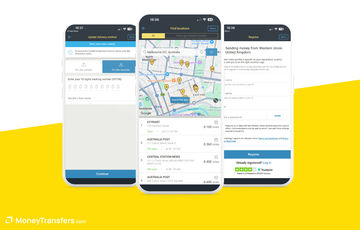
Western Union is my suggestion when you want to start a payment on your phone and then pay cash at a participating agent.
You enter the transfer details before visiting, which reduces the information you need to provide again at the counter.
The app also saves recipient information for repeat payments and uses the tracking number to follow the transfer.
Collection notifications help when your recipient needs cash, while supported bank or wallet payouts provide alternatives in some destinations.
You can register through the app, with identity checks completed through the methods available for your payment.
Germany offers online bank funding through Klarna, eligible cards and supported Apple Pay or Google Pay payments alongside the cash-at-agent option.
I suggest checking the agent's opening hours and payment availability before setting off, particularly when you need to fund the transfer that day.
You do not need a monthly subscription, but the transfer fee and exchange-rate margin change with the channel and receiving method.
A quote funded online does not establish the price for paying cash, so compare the exact method you will use.
Your recipient also needs suitable identification for cash collection, and their name must match the transfer details.
The app's link to physical agents is why I suggest keeping it installed, rather than expecting it to beat every bank-payment app on price.
Western Union is worth it
Find an alternative
Start in the app and pay cash at an agent
You want currency balances and travel card features
Keep cash-transfer tracking on your phone
There is no suitable agent or collection point
Repeat payments to saved recipients
The cash-channel price exceeds an acceptable bank quote
N26
With N26, you can send without opening another transfer account
Available on
iOS and Android
App store rating
4.8/5 (188k+ ratings)
Google play rating
4.3/5 (160k+ reviews)
If N26 is already your everyday bank, I suggest trying its foreign-currency transfer feature before opening another account just for one overseas payment.
The Wise integration sits inside the N26 app, so you enter the euro amount, choose the receiving currency and add the recipient's bank details there.
You do not need a separate Wise login to complete an eligible transfer from your personal N26 account.
The app shows the fee and arrival estimate before you confirm, while the transfer draws on the money already in your account.
That avoids a separate funding step, which is its main advantage over downloading another app for an occasional bank payment.
It does not turn N26 into an account for holding all those foreign currencies, or give the recipient cash pickup or a mobile-wallet payout.
The transfer uses Wise's mid-market rate with a fee, so having an N26 account does not make your currency conversion free.
N26 has a free Standard account and paid plans, but I would not buy a subscription solely to access this transfer function.
A debit card and account tools may justify a paid plan for other reasons, with their costs considered separately from the transfer.
Wero is also available for eligible personal EUR payments to participating users, although that is a different service from the foreign-currency transfer feature.
For frequent overseas payments, my suggestion is to weigh the convenience against Wise's own app features, especially scheduled transfers and currency balances.
N26 is worth it
Find an alternative
Send from your N26 balance
You need to hold several foreign currencies
Avoid a separate Wise login for an eligible payment
Recipient needs cash pickup or wallet delivery
Keep everyday banking and sending together
You mainly want Wise-specific scheduling tools
Cheapest apps for transfers from Germany
The lowest-cost app changes with your destination and amount, so my suggestion is to check the final recipient amount before each payment.
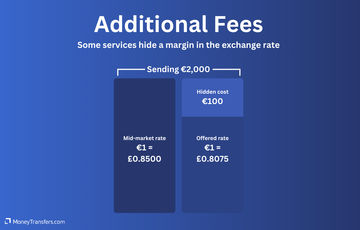
Make sure to check the exchange rate markup as often it's the biggest hidden fee.
These €1,000 and €5,000 examples cover eight destinations, with the available companies selected automatically for each transfer.
Some results may include a broker or another service, so check whether its app offers the functions you need before choosing it.
A familiar app interface does not mean every German payment method works, so check funding before entering all the recipient details.
A girocard is not automatically usable for online Visa or Mastercard payments, even when your bank calls it a debit card.
Use its supported card network or select bank funding, rather than assuming the card number will work in every app.
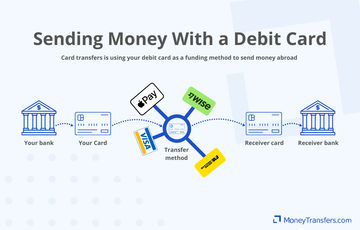
Connected bank payment can let you authorise through your German bank, while a manual bank transfer needs the instructed account details and reference.
SOFORT availability varies between apps, so an option offered by Remitly or Taptap should not be assumed available in Wise.
For bank-funded transfers, the money reaching the app and the money reaching your recipient are two separate stages.
My suggestion is to complete verification before relying on the shortest delivery estimate for a first payment or a substantial amount.
Your bank app may be enough for euro payments
For a EUR payment to another eligible SEPA account, I suggest checking your existing German banking app before installing a specialist transfer app.
An instant euro payment can arrive within seconds, and euro-area bank rules prevent it costing more than the corresponding standard transfer.
That makes your bank a strong option when there is no currency conversion or cash collection involved.
A payment to a Polish or Romanian account is a different decision if the recipient bank converts your euros into local currency.
Compare that conversion with an app's PLN or RON payout before treating a low sending fee as the cheapest result.
Wero can also send euros using a phone number or email to participating users in Germany, France, Belgium and Luxembourg.
It does not replace an international remittance app for foreign-currency bank payments, cash collection or a mobile-money wallet abroad.
What about PayPal and Krak?
PayPal is useful when the recipient already wants a PayPal balance, but I suggest comparing its currency conversion before choosing it for a bank payment.
Krak supports eligible EUR SEPA bank transfers as well as transfers within its own service, so sending euros need not involve buying cryptocurrency.
Topping up by card costs €0.25 plus 3.75%, which is €19 on €500, while SEPA bank transfers are free.
For an ordinary overseas bank payment in another currency, my suggestion is to use a suitable transfer app unless Krak's supported payout matches the recipient's needs.
How to send money abroad with an app
Choose the recipient's receiving method
Ask whether they need a bank deposit, supported mobile wallet or cash collection before choosing the app.
Register and complete verification
Download the official app, register with your German residence details and provide the identification requested for your payment.
Enter the details and check the full price
Confirm the receiving currency and recipient name, then check fees, conversion costs and the arrival estimate for your chosen funding method.
Fund the transfer and keep its reference
Pay through the instructed method, using the exact reference for a bank deposit, then keep the receipt and track the payment.
For cash collection, share the collection reference securely and confirm that the recipient's identification matches the transfer name.
For a large planned bank payment, an app such as Currencies Direct can combine mobile tracking with someone helping coordinate the transfer.
Safety features do not replace checking the payment
The ranked options serve German users through regulated payment institutions, electronic money institutions or banks, although their customer protection differs.
A safeguarded payment balance is different from an insured bank deposit, so the regulator alone does not make every app account equivalent.
I suggest using the official store listing and enabling the available account security, while checking new recipient details before sending a substantial amount.
A request to move money to a supposed safe account should be checked independently with your bank using its usual contact details.
Before sending, enter your destination and amount in the form below to check the available price for the payment you need.
Compare transfers from Germany
Enter your destination and amount to compare available EUR transfer fees, exchange rates and recipient amounts.
Our methodology & why trust us
We checked Germany-origin availability across eight currency corridors and verified app functions, funding methods and restrictions using official company and regulatory information.
We checked the German Apple and Google Play listings, using their scores and counts alongside the app's available features.
My picks reflect different mobile tasks, including scheduled payments, family remittances and managing a bank payment with personal support.
This assessment does not claim hands-on testing of every app or use store ratings as proof that a transfer is cheaper or safer.
The comparison components update their stated payment examples, while an individual quote can differ with funding, payout and account eligibility.
We may earn commission from some companies, but user benefit determines their inclusion and positioning.





























Please share your experience with …