
Taptap Send Review: Exchange Rates, Transfer Fees & Charges

Author: Artiom Pucinskij
On this page
Taptap Send is a mobile-first money transfer app built for sending money to family and friends in Africa, South Asia, South America and beyond.
On most routes, Taptap Send charges no transfer fee. Instead, the cost sits in the exchange rate, with a typical FX markup of around 0.7% across the corridors we analysed.
For popular destinations like India, Pakistan, and West Africa, Taptap Send is hard to beat on price. For example, sending $1,000 to Pakistan delivers 284,000 PKR with Taptap vs 277,223 PKR with Wise.
Keep reading to see if Taptap is right for you, when it’s worth using, and when you should be finding alternatives.
Is Taptap Send right for you?
Taptap is generally a really good service to use, but it does have its limitations. Here’s a quick overview of when you should and shouldn’t use it.
Taptap Send is good if… | Find an alternative if… |
|---|---|
|
|
Scoring Taptap Send
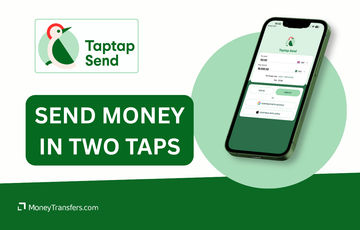
The key areas of our Taptap Send review are focused on the fees & exchange rates, transfers limits & speed, product offering, ease of use, safety and customer feedback.
Below is a quick summary of Taptap Send. Each area is covered in more detail below.
Before you choose whether to transfer funds overseas with TapTap Send, here’s a quick summary of benefits and drawbacks.
- Very low FX markup on major corridors (e.g India, Pakistan, Ghana, and West Africa), with no transfer fee on most routes.
- Transfers arrive in minutes on popular routes such as Pakistan, India, and Nigeria.
- Clean, intuitive app that's genuinely one of the better ones in the remittance space.
- Covers 80 destination countries, strong for Africa and South Asia in particular.
- Fully regulated across multiple major markets including the FCA in the UK, FinCEN and 40+ state licences in the US, and the DFSA in the UAE.
- No recipient account needed, money lands directly into a bank, wallet like MTN or bKash, or via cash pickup at a partner branch.
- App-only, no web platform at all.
- Common delays with account verification.
- Transfer limits are too low for large one-off payments (£195k/year in the UK on the highest tier).
- Exotic destinations have higher markups. For example, Gambia sits at nearly 10%, Rwanda at 7.8%, and Sierra Leone at 7.6%.
- The Taptap Send card and virtual IBAN are only available to users in the UK and EEA.
- Wallet balance is capped at £10,000 or €10,000.
Live exchange rates offered by TapTap Send
| Currency pair | Bank transfer fee | FX rate | FX Markup |
|---|---|---|---|
| GBP / EUR | - | - | - |
Taptap Send fees and exchange rates
Fees and rates
Taptap Send’s costs are mostly driven by the exchange rate.
In the majority of cases, Taptap Send does not charge a transfer fee. Instead, the cost is built into the FX rate you’re offered at checkout.
This means even when a transfer looks “free”, you can still pay through a weaker exchange rate compared to the mid-market rate (the rate you’ll see on Google or on our live exchange rates).
We looked at and analysed over 8,000 currency pairs and amount combinations to understand what Taptap Send charges in practice.
Exchange rates
The typical FX markup sits at around 0.7%, which is very competitive for a remittance provider. That said, it varies significantly by destination.
A sub-1% margin is reasonable for most transfers, especially if speed and convenience matter to you. Once you're looking at 4% or more, the cost starts to add up, particularly on larger or regular transfers.
To identify where Taptap is strongest and weakest, we calculated the median markup per destination across all sending currencies in our analysis.
Taptap Send is particularly competitive for:
Destination | Median markup |
|---|---|
India (INR) | 0.09% |
Pakistan (PKR) | 0.20% |
Ghana (GHS) | 0.18% |
Sri Lanka (LKR) | 0.12% |
West Africa XOF zone | ~0% |
Central Africa XAF zone | ~0% |
Thailand (THB) | 0.67% |
Philippines (PHP) | 1.05% |
This means Taptap Send is a good option for these destinations, regardless of where you're sending from.
While these destinations are generally more expensive, and you may be better off with an alternative:
Destination | Median markup |
|---|---|
Guatemala (GTQ) | 4.41% |
South Korea (KRW) | 4.92% |
Sierra Leone (SLE) | 7.60% |
Rwanda (RWF) | 7.77% |
Gambia (GMD) | 9.97% |
International transfer fees
Based on our research, Taptap Send charges no transfer fee in most cases.
However, there are corridor-specific exceptions.
Minimum-amount fee thresholds
In certain routes, Taptap Send applies a small fixed fee on lower transfer amounts, which disappears once you send more.
For example, sending under £125 to Pakistan costs £0.99, but anything above that amount is free.
Below are additional examples where fees apply:
Sending Country | Destination | Example Amount | Fee |
|---|---|---|---|
US | Haiti | $100 | $2.49 |
US | Haiti | $1,000+ | $6.99 (capped) |
US | Pakistan | $100 | $1.99 |
UK | Pakistan | £100 | £0.99 |
Eurozone countries | Pakistan | €100 | €0.99 |
Canada | Pakistan | CAD 100 | CAD 0.99 |
Australia | Pakistan | AUD 100 | AUD 3.99 |
UAE | Pakistan | AED 100+ | AED 6 |
In these cases, increasing the transfer amount can sometimes reduce the effective cost, as fixed fees may drop away or become less significant relative to the total.
Same-currency transfers
One notable detail is that same-currency transfers (for example, sending GBP to GBP or USD to USD) included a fee in our analysis.
That means Taptap Send may not be the most cost-effective option for domestic transfers.
If you’re simply moving money within the same currency, alternatives like Revolut or other peer-to-peer payment apps may be more suitable.
To put these numbers into perspective, here’s what a $1,000 transfer from the US could look like via bank transfer:
Country | Taptap Send | Wise |
|---|---|---|
Australia (AUD) | 1,406.00 AUD | 1,405.80 AUD |
India (INR) | 90,200.00 INR | 89,901.85 INR |
Spain (EUR) | 835.00 EUR | 837.24 EUR |
Pakistan (PKR) | 284,000.00 PKR | 277,223.02 PKR |
As you can see, the difference depends heavily on the corridor.
In some routes, Taptap Send delivers a similar, or even slightly better, recipient amount.
In others, alternatives may offer more competitive pricing once fees and exchange rates are combined.
Transfer speed
Transfer speed
Taptap Send claims that most transfers complete in under 5 minutes.
95% of transfers were delivered within 3 minutes in December 2025, with approximately 78% delivered in less than a minute.
To confirm, we’ve looked at user reviews online and made a few test transfers. For the most part, this seems to be accurate.
On popular corridors like India, Pakistan, and much of Africa, transfers regularly arrive within minutes.
That said, delays do happen, especially for more exotic currency pairs or very large transfers. We found a few recent reviews where users complained about transfers getting stuck "in progress" for hours or days, with limited support from Taptap.
It’s also worth noting that sometimes your bank may trigger additional checks which can delay the transfers. This is outside of Taptap Send’s control, and is normal in the remittance space.
Taptap does show an estimated delivery time on the confirmation screen before you send, which is a useful safeguard.
If the estimate looks longer than expected, it is worth comparing your options before making a transfer.
Transfer limits
Transfer limits
Taptap Send has rolling transfer limits that reset over 30, 90, and 365-day windows.
There is also a higher "Super" tier available for users who complete additional verification.
Country | 30 days | 90 days | 365 days | 365 "Super" |
|---|---|---|---|---|
Australia | AU$21,000 | AU$42,000 | AU$140,000 | AU$250,000 |
Brazil | BRL 16,000 | BRL 32,000 | BRL 96,000 | BRL 192,000 |
Canada | CAD 12,500 | CAD 25,000 | CAD 75,000 | CAD 160,000 |
Czech Republic | CZK 175,000 | CZK 350,000 | CZK 1,050,000 | CZK 4,000,000 |
Denmark | DKK 52,500 | DKK 105,000 | DKK 315,000 | DKK 1,200,000 |
EU | €10,000 | €20,000 | €70,000 | €160,000 |
Hungary | HUF 2,835,000 | HUF 5,670,000 | HUF 17,010,000 | HUF 64,800,000 |
New Zealand | NZD 21,000 | NZD 42,000 | NZD 140,000 | NZD 250,000 |
Norway | NOK 80,500 | NOK 161,000 | NOK 483,000 | NOK 1,840,000 |
Poland | PLN 30,000 | PLN 60,000 | PLN 180,000 | PLN 680,000 |
Romania | RON 35,000 | RON 70,000 | RON 210,000 | RON 800,000 |
Sweden | SEK 80,000 | SEK 161,000 | SEK 483,000 | SEK 1,840,000 |
UK | £11,500 | £17,500 | £60,000 | £195,000 |
UAE | AED 37,000 | AED 74,000 | AED 220,000 | AED 800,000 |
US | $10,000 | $20,000 | $60,000 | $255,000 |
These limits are a regulatory requirement, not arbitrary thresholds. If you approach your limit, Taptap will notify you via the app before you hit it.
If you do reach a limit, you will be asked to provide documentation showing the source of your funds.
Accepted documents include payslips, bank statements, employment contracts, or proof of pension, rental, or inheritance income. You can submit everything directly through the app.
If you can't provide documentation, you don't lose access permanently. The limit resets once the relevant time window passes.
These limits are not too bad if you’re making a few transfers here and there. But you won’t be able to send large amounts, for say, house purchase or inheritance.
If you do need to send large amounts of money abroad, I suggest looking into currency brokers like TorFX or RegencyFX. They generally have no maximum limits, specialise in larger transfers, and offer more dedicated support than most online services.
If you'd prefer to stay with a self-service app, Wise is worth considering. Their limits run into the millions, which makes them a viable option, though support is more limited compared to the brokers above.
Product offering
Product offering
Supported currencies & destinations
TapTap Send markets itself as available from 6 regions, but the actual sending coverage is broader than that.
In practice, you can send from 33 countries:
Australia, Austria, Belgium, Brazil, Canada, Croatia, Cyprus, Czechia, Denmark, Estonia, Finland, France, Germany, Greece, Hungary, Ireland, Italy, Luxembourg, Malta, Mayotte, Netherlands, Norway, Poland, Portugal, Romania, Réunion, Slovakia, Spain, Sweden, UAE, UK, and the US.
On the receiving side, transfers are supported in 80 countries.
Africa
Benin, Burkina Faso, Cameroon, Central African Republic, Chad, Comoros, DR Congo, Egypt, Equatorial Guinea, Ethiopia, Gabon, Gambia, Ghana, Guinea, Guinea-Bissau, Ivory Coast, Kenya, Liberia, Madagascar, Malawi, Mali, Mauritania, Mayotte, Morocco, Mozambique, Nigeria, Rep. Congo, Réunion, Rwanda, Senegal, Sierra Leone, South Africa, Tanzania, Togo, Tunisia, Uganda, Zambia, Zimbabwe
Asia & Middle East
Bangladesh, Cambodia, China, India, Indonesia, Jordan, Lebanon, Malaysia, Nepal, Pakistan, Philippines, South Korea, Sri Lanka, Thailand, Turkey, Vietnam
Latin America & Caribbean
Argentina, Brazil, Colombia, Dominican Republic, Ecuador, El Salvador, Guatemala, Haiti, Honduras, Jamaica, Mexico, Peru
Oceania
Australia, Fiji
TapTap Send also supports same-currency transfers to the UK and US, though these carry a fee in some cases (see transfer fees section above).
Need to send money somewhere else?
Fill in the details and get live rates for the best money transfers in real time.Deposit methods
Taptap Send supports debit cards and bank transfers as the primary funding methods, with additional local options depending on your country.
Debit card
The primary way to fund your transfer.
Taptap Send accepts Visa, Visa Electron, Mastercard, and Maestro, as long as the card is not prepaid and is registered in your name. Corporate cards and American Express are not supported.
Bank transfer
In select countries, you can fund a transfer directly from your bank account via instant bank transfer, powered by Plaid.
This option will appear at checkout if it is available in your region.
Users sending from Belgium can also pay via Bancontact, and users sending from Italy can use PostePay.
Receiving methods
Taptap offers three ways for recipients to receive money; bank transfer, mobile wallet, and cash pickup.
Availability of these depends on where you’re sending money to, so not all options will be available for every transfer.
Bank transfer
Money is sent directly to the recipient's bank account. Supported banks vary by country, but include major providers such as HBL, UBL, Access Bank, and Fidelity Bank among others.
Your recipient doesn’t need to do anything, money will arrive into their account.
Mobile wallet
Funds are deposited directly into the recipient's mobile money wallet.
Supported providers include MTN, Orange Money, JazzCash, Easypaisa, and bKash.
Recipients are notified by SMS when the money arrives and can use it to pay bills, top up airtime, or withdraw cash at a nearby mobile money agent.
Cash pickup
Cash pickup is only available in select countries.
The recipient receives a code by SMS and can collect the cash in person at an authorised partner bank branch by presenting the code and a valid ID.
Partner banks vary by country. For example, in Bangladesh, cash pickup is available at BRAC Bank, Dutch-Bangla Bank, Bank Islami, Mutual Trust Bank, and Sonali Bank.
But you’ll see available pickup locations during the transfer in the app.
Taptap Send Card
Taptap Send offers a Visa debit card, available as a virtual and physical card. This is largely available in the EEA, and you’ll see if you are eligible in the app.
The card is funded by your Taptap Send wallet, which you load separately before spending.
Virtual card
Available instantly through the app. You can use it for online purchases and add it to Apple Pay or Google Pay for contactless payments. You can create up to 5 cards on your account.
Physical card
A standard Visa debit card that works in store, online, and over the phone. Supports Click to Pay for secure checkout at participating merchants without manually entering card details.
There are no foreign transaction fees for purchases made outside the UK or EU.
If you spend in a currency you don't hold a wallet balance in, Taptap will convert automatically using their own exchange rate (covered above in the exchange rate section).
Virtual IBAN
Taptap Send offers virtual IBANs, which is a set of personal account details tied to your Taptap Send wallet.
This allows anyone to send money directly into your Taptap wallet via bank transfer, the same way they would send to a regular bank account.
It supports GBP and EUR wallets, and there are no fees for receiving money this way.
The wallet balance is capped at £10,000 or €10,000. If an incoming transfer would push you above that limit, Taptap will return the funds, which can take up to 3 business days.
Once money is in your wallet, you can use it to fund transfers or spend via your Taptap Send card.
Mobile app
As I’ve mentioned a few times now, Taptap is the app-first money transfer service. The app is available on iOS and Android.
There is no web platform, so everything happens through the app: sending money, tracking transfers, managing recipients, controlling your card, reaching support, etc…
I’ve used the app before writing this review, and it’s actually very clean and intuitive. After using dozens of money transfer apps, I think this is now one of my favourites.
With the app, you can:
Make and track transfers
Manage saved recipients
Check transfer history
Manage your Taptap card
Top-up your wallet balance
Contact support
The app is well maintained with frequent updates, in fact, almost weekly on iOS.
As I said, I personally like the app, but I’ve also looked at the reviews from Google Play store and Apple Store.
Taptap Send scores 4.8/5 on both iOS (59K reviews) and Android (262K reviews).
In general, most users agree that it’s easy to use, there’s low/no friction, and all transfers are fairly quick. On the downside, a few mention account suspensions, delays, and a few bugs here and there.
In my opinion it’s fair, but pretty much all money transfer apps get these negative reviews.
But, what i really liked is that most negative reviews are actually addressed by Taptap and acknowledged. Even if not fixed right away, at least there’s someone looking at these.
Ease of use
Ease of use
As I said a few times already, I found Taptap Send to be generally easy to use and intuitive.
The app is well-designed and the sending flow is short: pick a recipient, enter an amount, confirm the rate and fee, and pay.
Most transfers are done in a handful of taps (they have a well deserved name if you ask me). I think this is one of a few apps that I found on par with Wise in terms of simplicity and flow.
Getting started is straightforward too, though not always instant.
Registration requires a phone number and ID verification, and for most users the account is approved quickly.
Customer service
Support is available through the app, by phone, and by email at support@taptapsend.com.
Channel | Details |
|---|---|
In-app support | Primary channel for existing customers |
Phone | Available in most countries, mostly 24/7 (hours vary by region) |
Their website and support is multi-lingual, including: Arabic, Bengali, English, French, German, Italian, Portuguese, Spanish, Tagalog, Twi, Urdu, and Wolof, with availability varying by country.
However, it’s worth noting that online/app only money transfer companies tend to have worse support than currency brokers, or established giants like XE.
Taptap is not different. Looking at reviews, many seem to be getting issues resolved, but even more are complaining about the support, generally about the lack of solutions and slow progress.
Safety and trust
Safety and trust
Is Taptap Send legitimate?
Yes. Taptap Send is a real, regulated financial company, not a bank but a licensed money transfer service, which is standard for remittance providers.
What that means in practice: they have to follow strict rules on how they handle your money, verify their customers' identities, and report suspicious activity. They can't just disappear with your funds.
Here's where they're regulated:
Region | Regulator |
|---|---|
UK | Financial Conduct Authority (FCA) - authorised as an Electronic Money Institution |
EU | National Bank of Belgium - regulated as a payment institution |
US | FinCEN & licensed as a Money Transmitter in 40+ states, including New York (NYDFS) |
Canada | FINTRAC (Financial Transactions and Reports Analysis Centre) |
UAE | Dubai Financial Services Authority (DFSA) |
Australia | Australian Financial Services Licence (AFSL No. 559468) |
New Zealand | Registered Financial Service Provider (FSP1009831) |
If you ever have a complaint Taptap Send can't resolve, you have the right to escalate directly to the relevant regulator in your country.
How do they handle your money?
Taptap Send holds customer funds separately from their own operational money, which is a standard requirement for regulated electronic money institutions.
This means if something happened to the business, your money would not be mixed up with company funds.
Transfers are encrypted using Transport Layer Security (TLS), and card details are never stored directly by Taptap Send.
Protection of your data
Taptap Send collects what you'd expect from a regulated money transfer service: your identity documents, contact details, transaction history, device information, and payment details.
This is largely driven by legal requirements around anti-money laundering (AML) and know-your-customer (KYC) rules.
A few things worth knowing:
Data retention: They keep your data for up to 10 years after you stop using the service. This is standard for regulated financial firms.
Your rights: Depending on where you live, you can request access to your data, correct it, or ask for it to be deleted (subject to legal requirements). Contact privacy@taptapsend.com.
Your data: They state in their policies that they do not sell your personal data.
Automated decisions: Taptap uses automated processes for identity checks and fraud detection. If a decision goes against you (such as an account block), you can request a manual review.
Data protection oversight sits with a dedicated Data Protection Officer (DPO) and is subject to the relevant authority in your region, such as the ICO in the UK or the FTC in the US.
Customer feedback
Customer feedback
Taptap Send is rated 4.7 out of 5 on Trustpilot across more than 30,000 reviews, 4.8 out of 5 on the App Store (59,000 reviews), and 4.8 out of 5 on Google Play (262,000 reviews).
Generally, reviews are extremely positive from other users. The majority like the speed, simplicity, and value they get from Taptap. There’s a few negatives around delays and account issues, but as I mentioned before, it’s a common pattern with online / app only money transfers.
Aside from manually testing Taptap, we’ve looked at the App Store, Google Play Store, Trustpilot, and Reddit reviews. Here’s what other users have to say in general:
What other users love | What other users complain about |
|---|---|
Most transfers arrive in minutes, often instant | Some transfers occasionally stuck for days with no clear resolution |
Competitive exchange rates with no hidden fees | Generic, copy-paste support responses when things go wrong |
Clean, simple app that's easy to use | Accounts suspended or placed on waitlists without explanation |
Straightforward signup and sending process | Transfer showing "completed" in the app before recipient has received funds |
Cash pickup is fast and well organised | Cash pickup locations not always clearly listed in the app |
Support can be responsive and personal when working well | Phone support sometimes disconnects without resolution |
Works across a wide range of countries and corridors | Exchange rates occasionally fall short of competitors on certain corridors |
Referral bonuses are good | Referral credits not always applied correctly |
Opening an account with Taptap Send
To open an account with Taptap Send, you will need the following:
A smartphone (iOS or Android)
A valid email address
A mobile phone number from your country of residence
A government-issued photo ID (passport, national ID card, driving licence, etc…)
Your home address
Once you have these details, follow the steps below to open an account:
Download the app
Click the button below to get started, or search Taptap on your app store.
Once open, tap Sign up. You can also register using your Apple ID or Google account if you prefer to skip the manual email setup.
Enter your personal details
Provide your full name (as it appears on your ID), email address, and create a password.
You'll then be asked for your phone number, date of birth, country of residence, nationality, occupation, and home address.
Verify your phone number
Taptap Send will send a one-time code to your mobile number. Enter it in the app to confirm your number and move forward.
Verify your identity
Upload a photo of your government-issued ID and take a selfie to confirm.
This is a regulatory requirement and applies to all users. In most cases, verification is approved the same day, though some users report waiting longer.
Some users are placed on a waitlist after signing up and may not be able to send money immediately, even after completing verification. If it happens to you, in-app support is the fastest route to chase it up.
Add a payment method
Once verified, add a debit or credit card (Visa or Mastercard) to fund your transfers. Some countries also support bank transfers, open banking, or local payment methods like iDEAL or Klarna.
You'll see what's available for your country in the app.
Start sending
That’s it, you can now use Taptap to send money. Select your recipient's country, enter the amount, add or choose a recipient, and confirm the transfer.
You'll receive email receipts when the transfer is authorised and again when it's sent.
Making international transfers
To send money with Taptap Send, you will need the following:
Your Taptap Send account (verified and approved)
A payment method added to your account (debit/credit card, or bank transfer where available)
Your recipient's details. These vary by destination but typically include their full name, and a mobile number for mobile money, bank account details for bank deposits or cash pickup.
Sending money abroad
Once you have all the details ready, you can send money with Taptap Send by following the steps below.
Open the app and select a destination
From the home screen, tap the country you want to send money to. If it's not immediately visible, search for it from the list.
Enter the amount
Type in how much you want to send (or how much you want your recipient to receive). The app will show you the exchange rate and any applicable fees in real time before you commit to anything.
Choose a delivery method
Depending on the destination country, you'll be able to choose how your recipient gets the money; bank deposit, mobile wallet, or cash pickup.
The options available will appear automatically based on the country selected.
Add or select a recipient
Choose an existing recipient from your saved list, or add a new one by entering their name and the relevant account details (mobile number, bank account, etc.).
Double-check these carefully! Sending to the wrong number or account can be difficult to reverse.
Choose your payment method
Select the card or bank account you want to use to fund the transfer. If you have a Taptap Send wallet with a balance, you can use that instead.
Review and confirm
You'll see a full summary of the transfer, including how much you are sending, amount received, exchange rate, fees, and estimated delivery time.
If everything looks right, confirm the transfer. You'll receive an email receipt immediately, and another when the money is delivered.
Track your transfer
Open the app at any time to check the status of your transfer under your transaction history.
Canceling transfer
Once a transfer is confirmed, you have a 30-minute window to request a cancellation. To cancel, contact Taptap Send support immediately via the in-app chat or by emailing support@taptapsend.com.
After 30 minutes, cancellation is no longer guaranteed, if the funds have already been sent to your recipient, Taptap Send will not be able to recall them.
If you believe an error was made on Taptap Send's side, you have up to 180 days to raise a dispute.
Receive international transfers
Recipients don't need a Taptap Send account to receive money.
How you get the funds depends on the delivery method the sender chooses, the money simply arrives once the transfer is processed.
Bank deposit
The funds land directly in your bank account. You’ll usually receive a notification from the bank when the money arrives, and there’s nothing you need to do.
Mobile wallet
The money is deposited into your mobile wallet (such as MTN, Orange Money, bKash, JazzCash, or Easypaisa, depending on the country).
You will receive a text from the mobile money provider confirming the funds, plus a separate text from Taptap Send with the sender's name.
Cash pickup
Available at select partner bank branches in certain countries. For cash pickup, follow these steps:
You will receive an SMS with a unique redemption code and the transfer amount.
You will then need to visit a nearby partner agent or bank branch. Taptap Send's app and website show a list of locations for each country.
At the location, show your government-issued photo ID and the confirmation code.
If all checks out, the agent will hand you the money.
It’s worth noting that only the person whose name matches the one given by the sender can receive the money. No one else will be able to pick it up for you.
How Taptap Send compares to other transfer services




Other Alternatives
Alternatively, consider using one of these neobanks for international transfers.
Taptap Send: Is it good for transfers abroad?
Taptap Send is a solid choice for anyone sending money regularly to family in Africa or South Asia.
The rates on major corridors are competitive, transfers arrive fast, and the app is one of the better ones in the remittance space. If you're covering school fees, groceries, bills back home or supporting family abroad, it does the job well and cheaply.
That said, support can be unreliable when something goes wrong, there are verification delays, and costs climb quickly on less common destinations like Gambia or Rwanda.
It's also not the right service for large one-off transfers or anyone who needs a web platform.
If Taptap Send covers your corridor and you're comfortable managing everything through an app, it's one of the better options available.
But as always, the best deal depends on where you're sending, how much, and how fast you need it to arrive. Use the form below to compare Taptap Send against other services to make sure you get the most for your money.
Find the best rates for your transfer
A bit more about Taptap Send
What happens if I send money to the wrong account?
You have 30 minutes to cancel after confirming a transfer. After that, if the funds have already been delivered, Taptap Send cannot recall them.
Always double-check recipient details before confirming.
Why has my account been suspended or put on a waitlist?
Taptap Send is required by law to verify users and monitor transactions. Accounts can be flagged during these checks, sometimes without obvious reason.
If it happens, contact support via in-app chat or at support@taptapsend.com and request a manual review.
Does my recipient get charged anything?
Taptap Send does not charge recipients. However, some mobile money providers charge a small cashout fee, and some banks apply a fee on incoming international transfers.
These are third-party charges outside of Taptap Send's control.
Help & FAQ
Get answers to the most common questions asked when sending money abroad. Covers costs, fees and the best way to compare.
More Money Transfer Services
Aspora Review
Aspora is the uprising company for money transfers to India, with no exchange rate markup and extremely low fees.
A Place In The Sun Currency
The key areas of our A Place In The Sun Currency review are focused on the fees & exchange rates, transfer limits & speed, product offering, ease of use, safety, and customer feedback.
WorldRemit
WorldRemit doesn't put a list of all their fees online, so you’ll have to input the details of your transfer to find out how much you’ll need to pay in fees. However, once you do, you’ll be shown what rate you get and what transfer fee you’ll pay depending on the destination, currency and payment method.
Revolut
Using our unique scoring system, we’ve reviewed Revolut based on cost, speed, transfer limits, and more. Here's a quick overview of Revolut's pros and cons.
Regency FX
Using our unique scoring system, we’ve analyzed exactly how good Regency FX is, and how it compares with some of the other exchange services available on the market.
TapTap Send user feedback
Would you recommend TapTap Send?
Be the first to leave feedback for TapTap Send.
Contributors

Please share your experience with …